

 English
  Español
  Português
NOTE: It is not possible to recover a deleted exam.
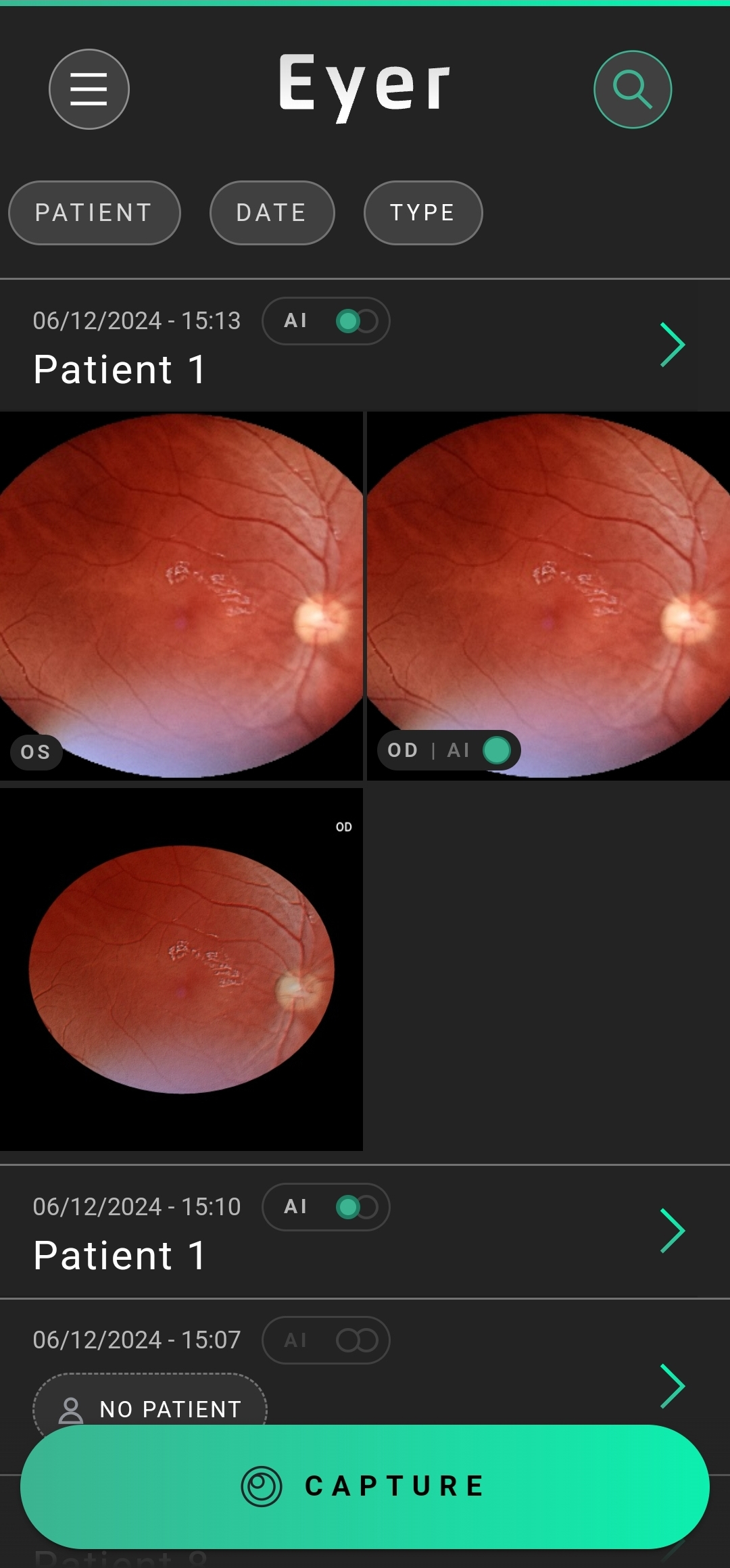
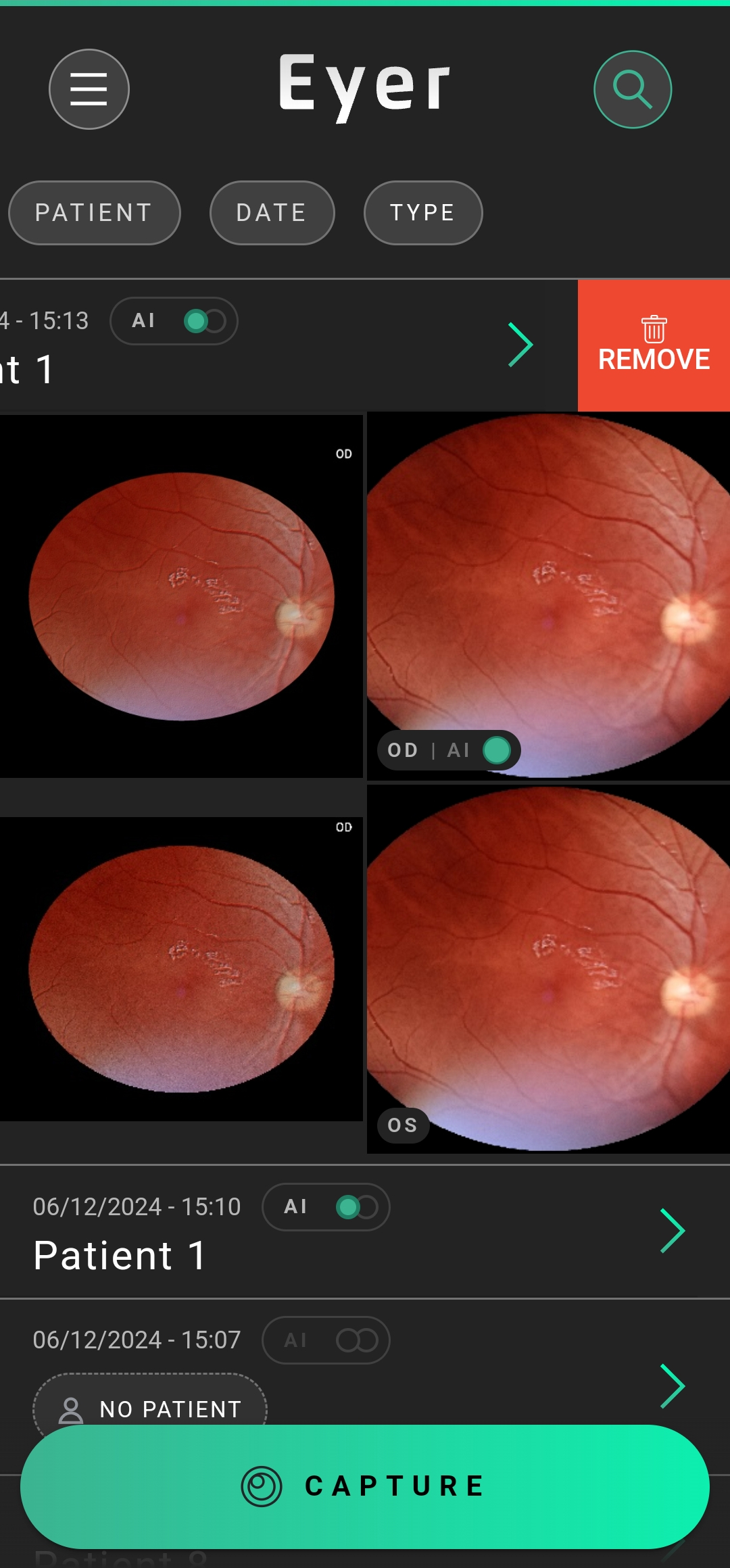
On the gallery, find exam you want to erase, swipe to the left, press “Delete“, then confirm your choice.
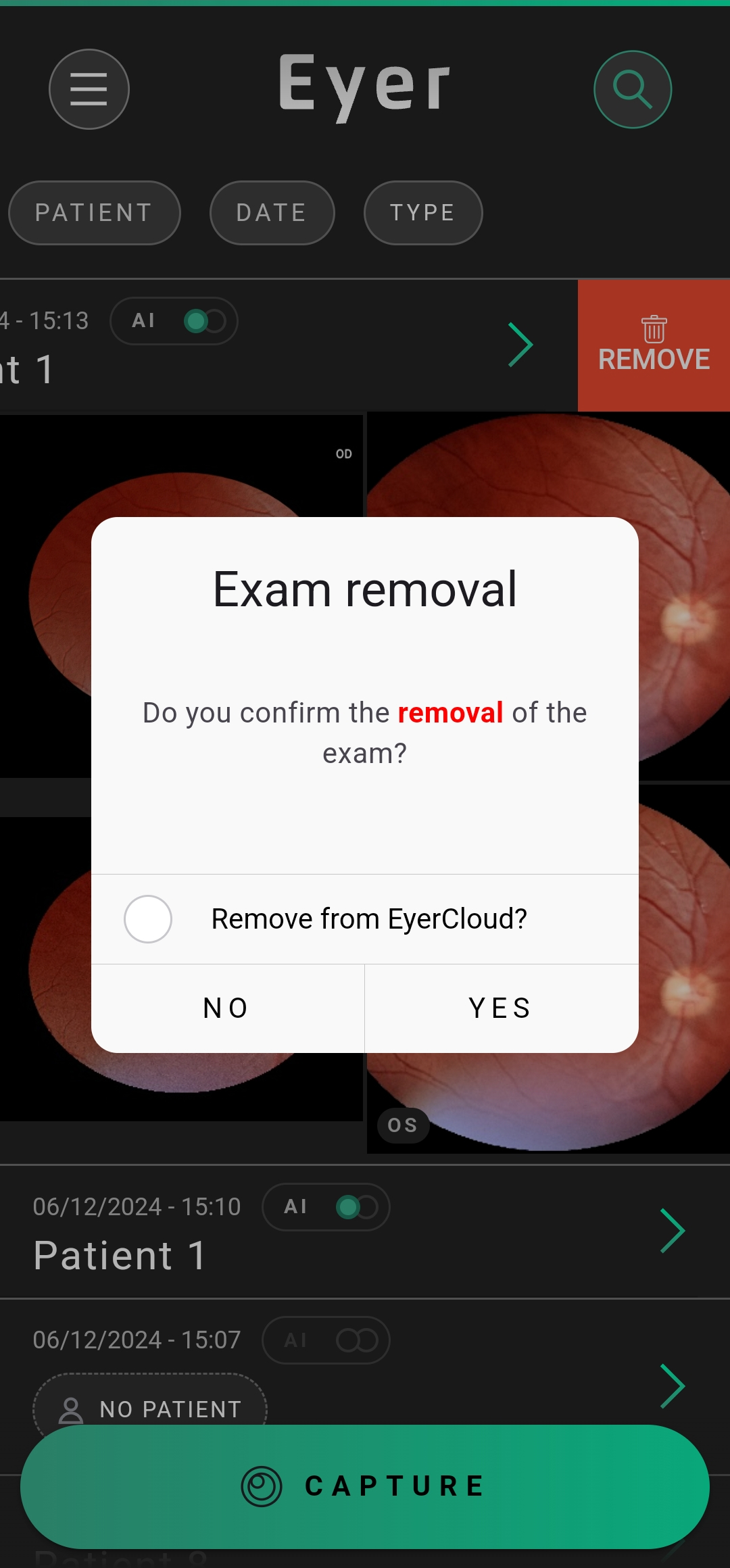
NOTE: if your EyerCloud account allows cloud data storage, you can erase exams from the EyerCloud by selecting the option “Remove from EyerCloud“.


