Português
  Español
  English
It is possible to change the laterality of an image if you selected the wrong eye during the exam.
In the patient list:
1. Enter to the patient’s profile
2. Click on the exams tab
3. Select the exam you want to modify
4. Enter in the gallery tab
5. Press and hold the photo by pressing it until the green outline appears
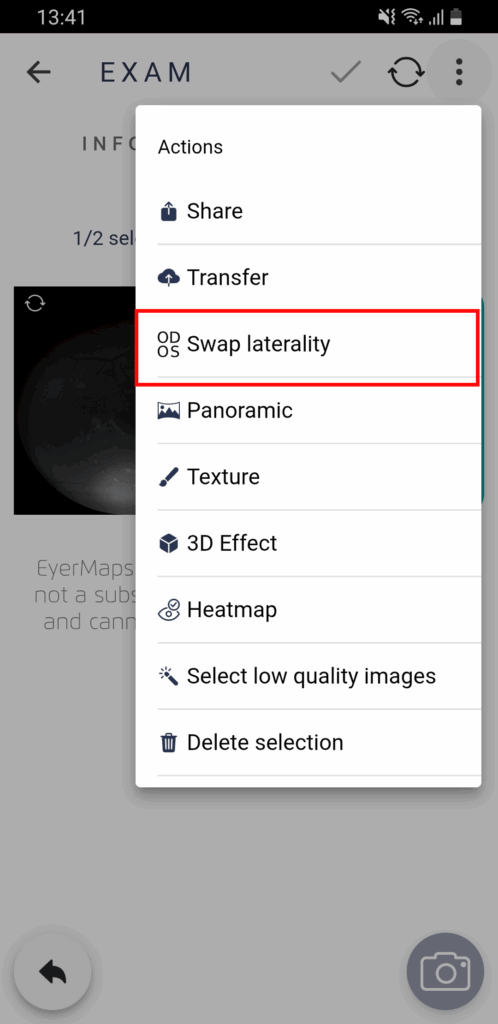
6. Then click on the three dots in the upper right corner
7. Select “Swap Laterality“
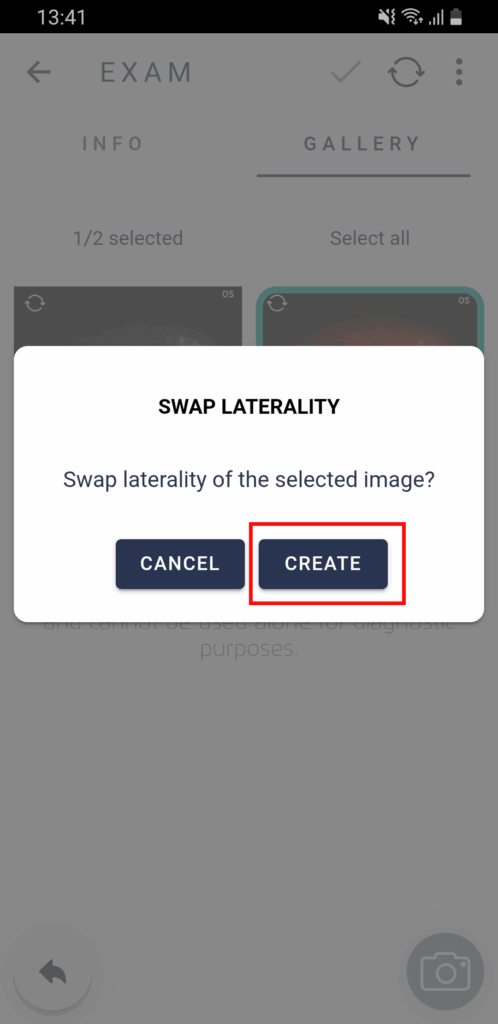
8. Confirm click in “Create“
After this process, a new image with the correct side will appear with the correct laterality.