Português
  Español
  English
Mac
Sharing a Folder:
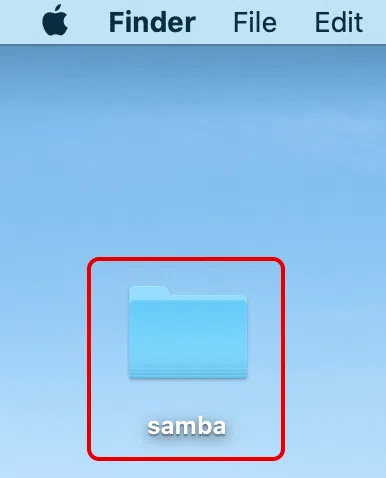
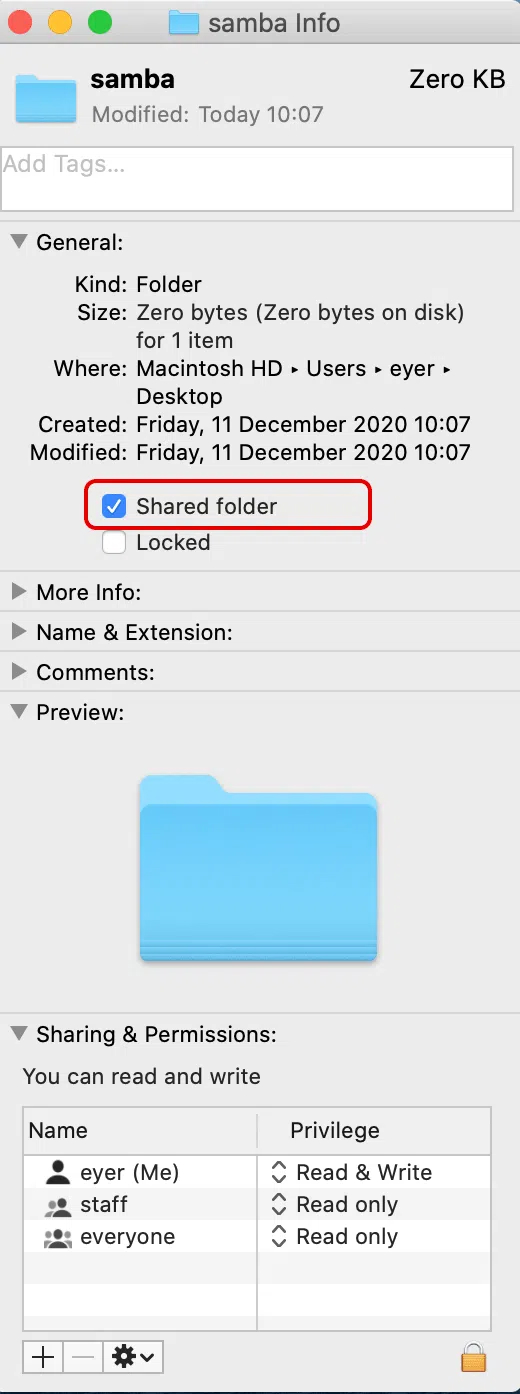
To create a shared folder in a Mac device follow these steps (in the example below the shared folder Samba was created on the Desktop).
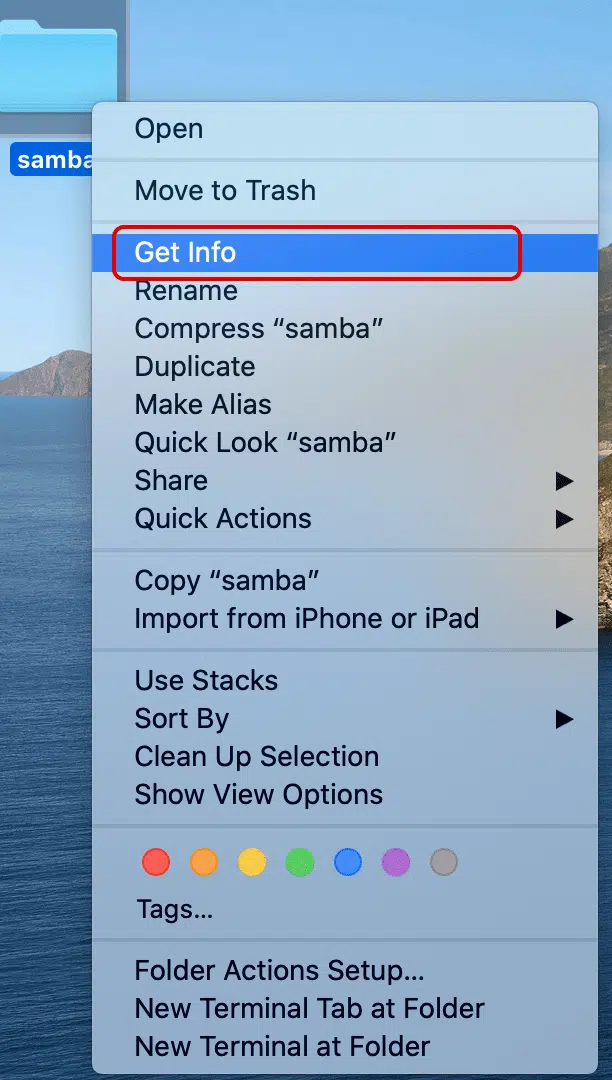
1. Right click on the folder and select “Get Info“, check the “Shared Folder” box.
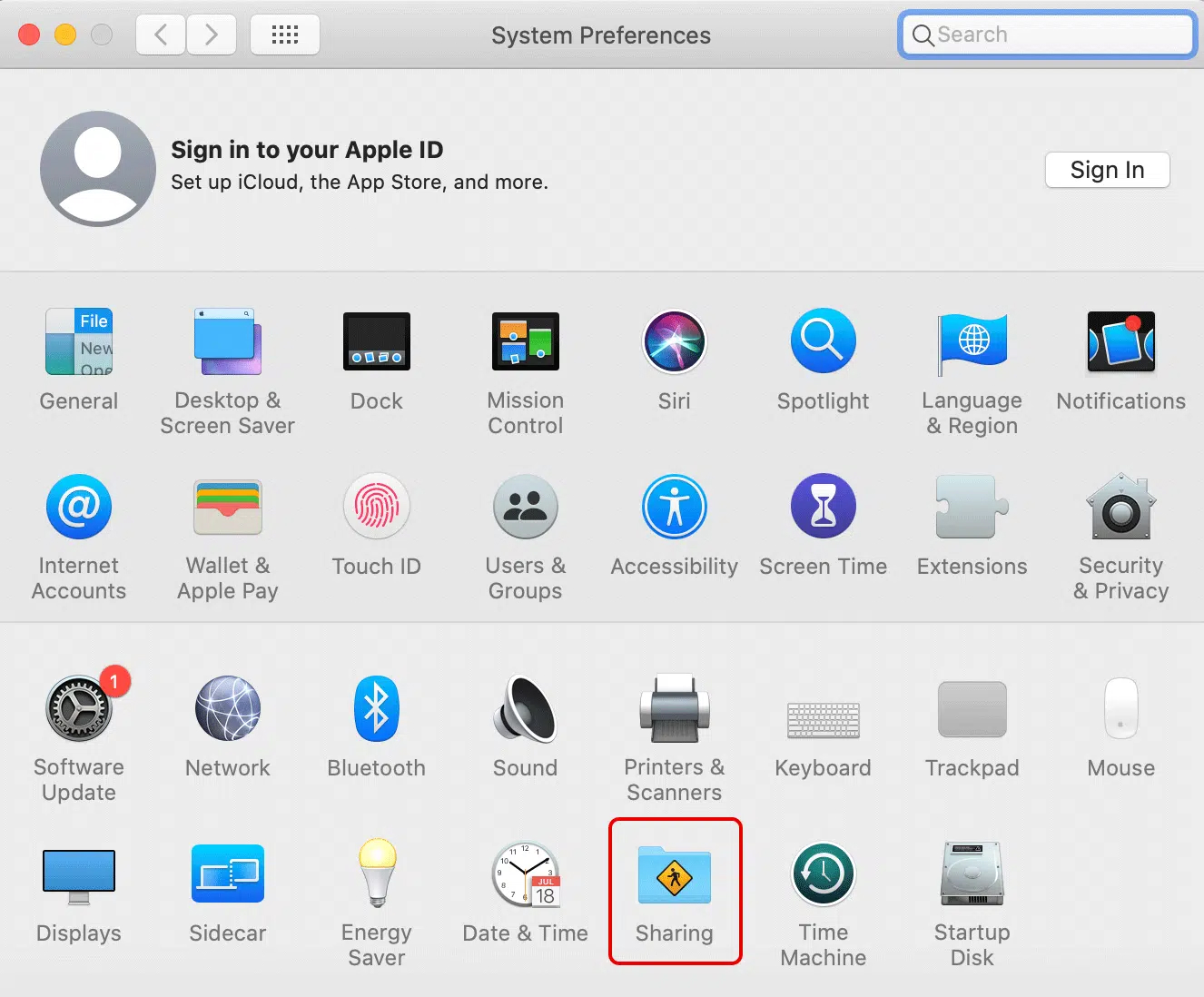
2. Open “System Preferences” and select “Sharing“.
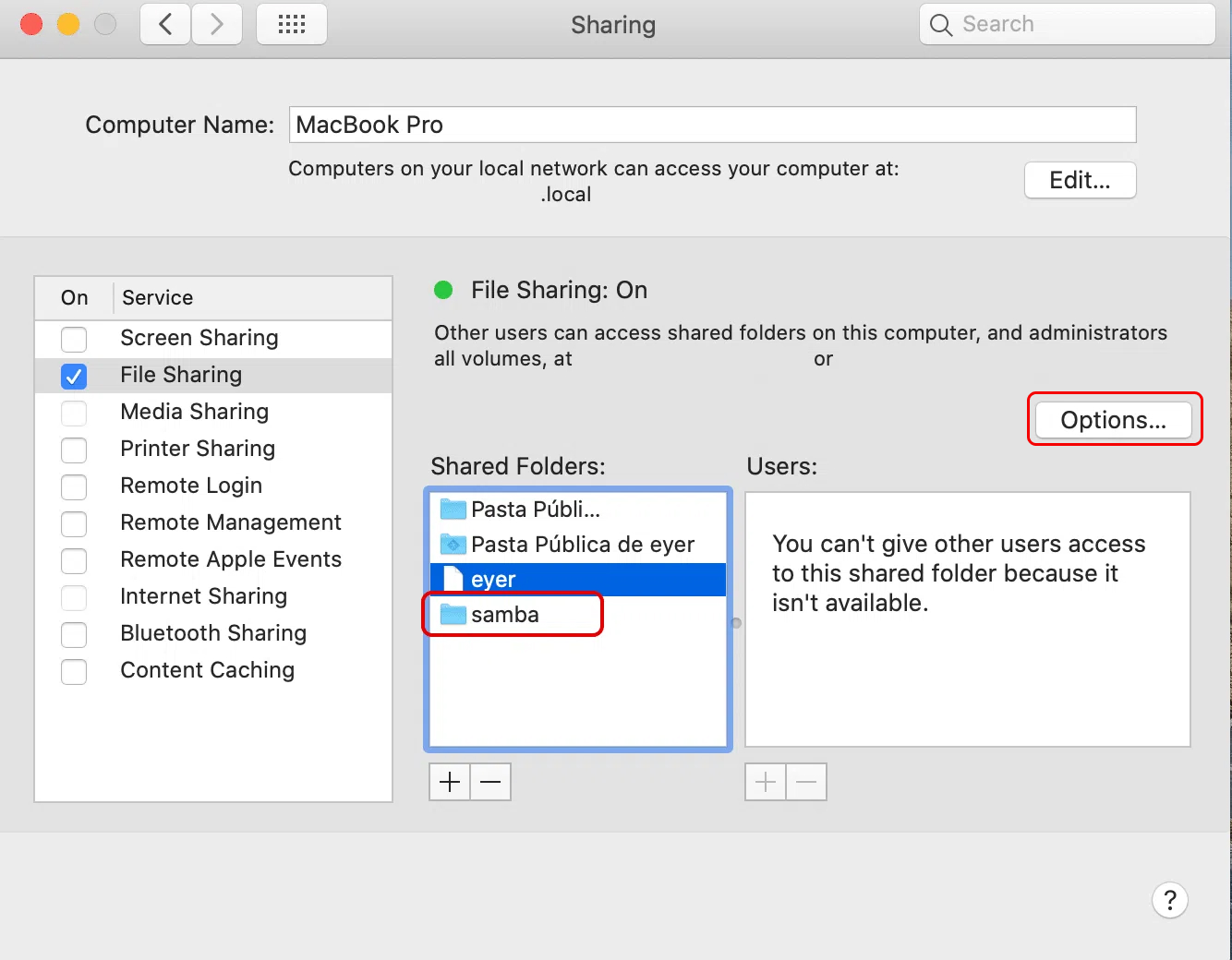
3. In Sharing click the created folder (Samba) and select “Options“.
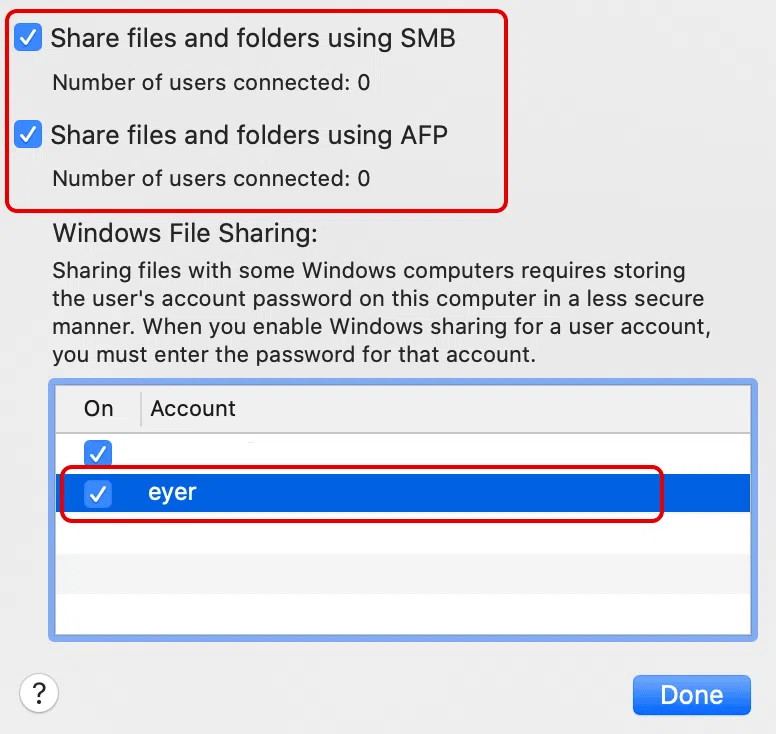
4. Select the user(s) who will have access to the shared folder and check the “Share files and folders using SMB” box.
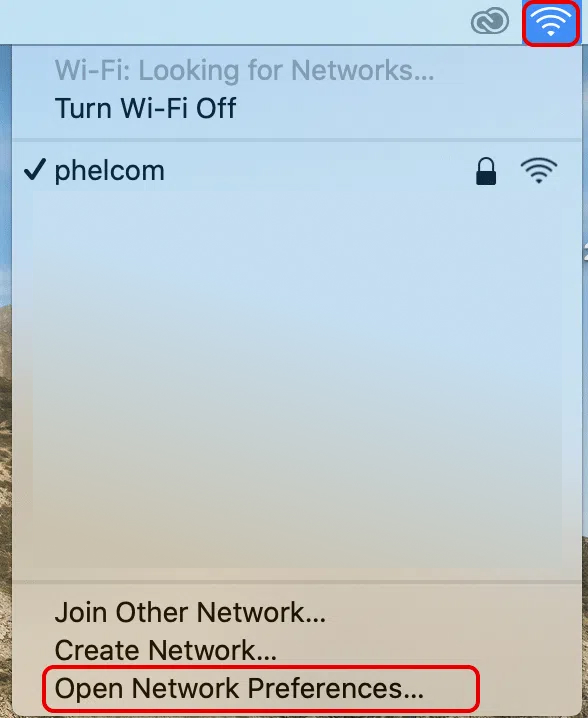
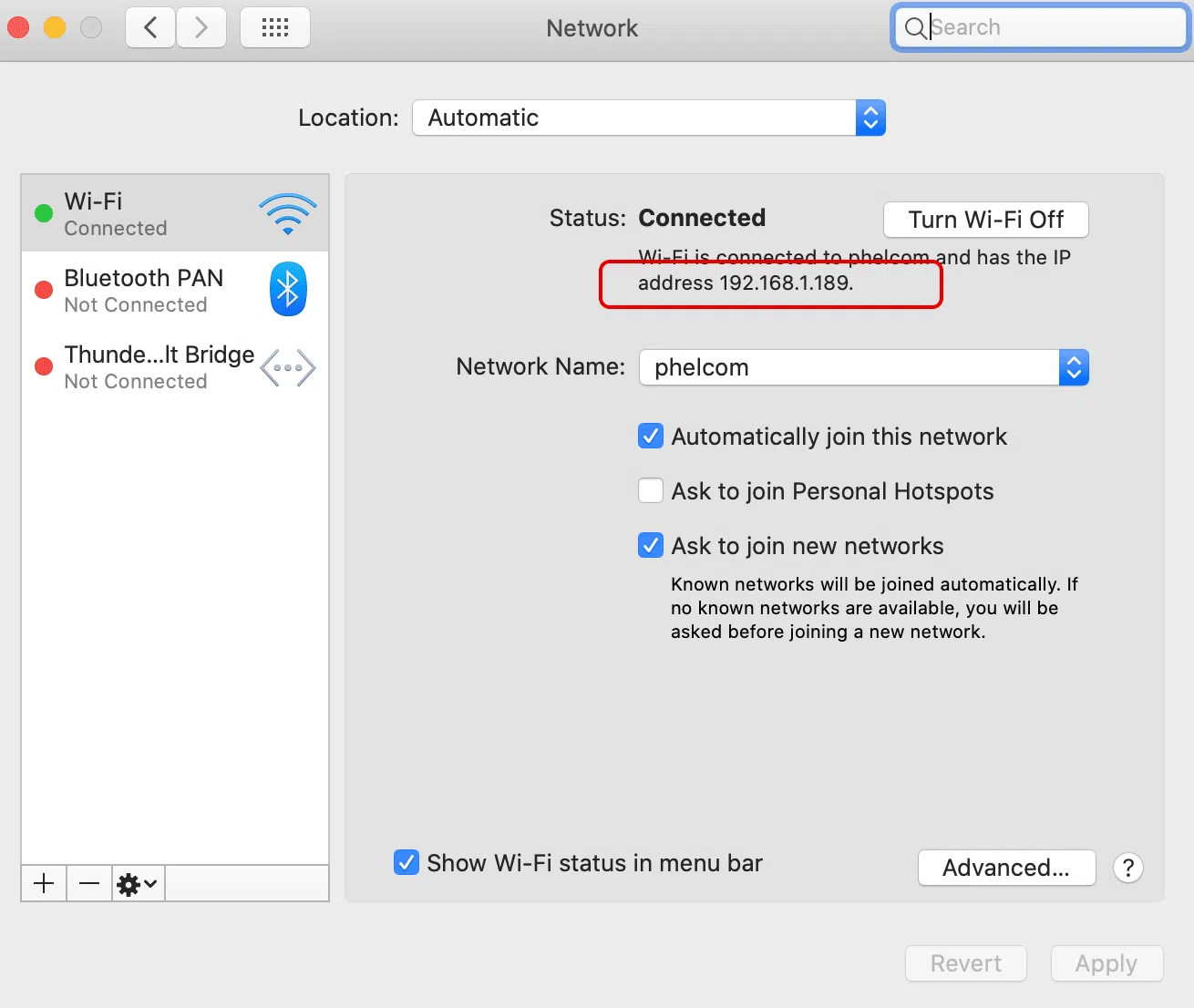
5. Click the network icon, on the taskbar and select “Open Network Preferences.“. Write down the IP address provided.