

 English
  Español
  Português
Update the models of your Eyer device by following these steps:
1. Open the Eyer app.
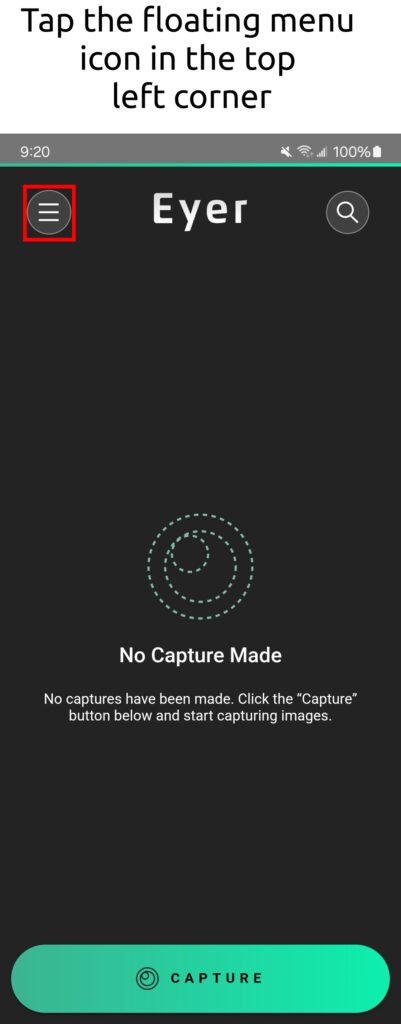
2. Open the Menu.
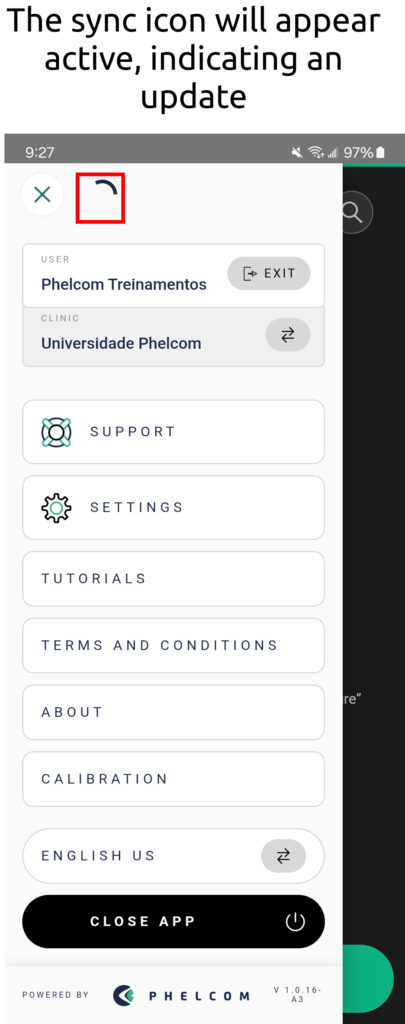
3. Check the active sync icon.
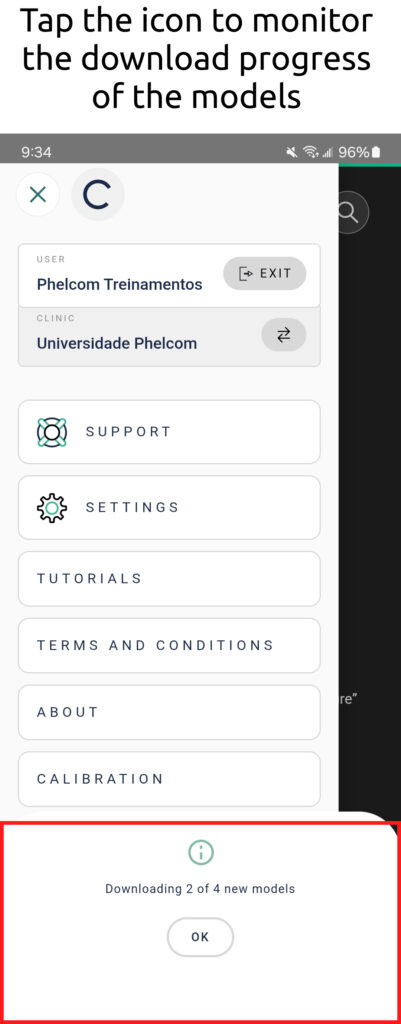
4. Monitor the download status.
5. Wait for completion.
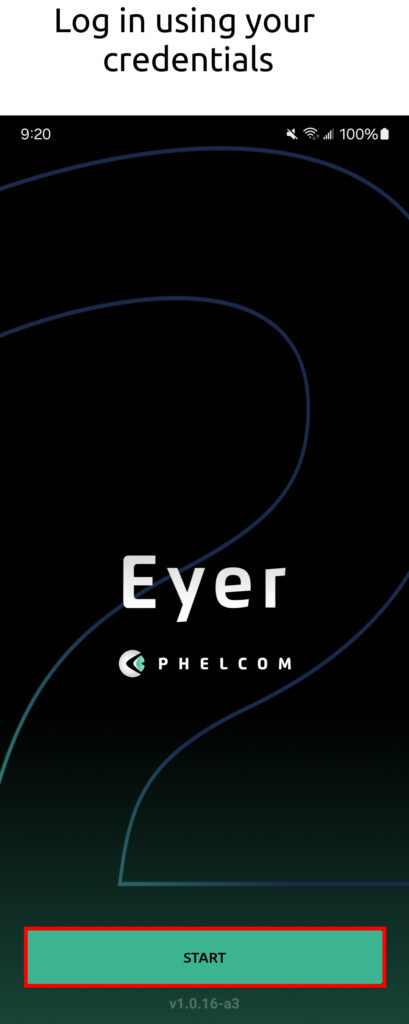
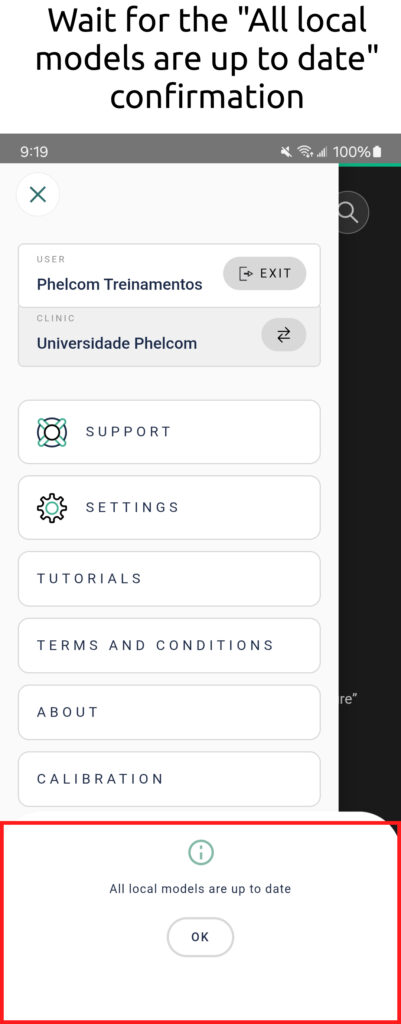
Update the models of your Eyer device by following these steps:
1. Open the Eyer app.
2. Open the Menu.
3. Check the active sync icon.
4. Monitor the download status.
5. Wait for completion.
 Request a Quote
Request a quote
Fill out the form below and we will contact you shortly.

Request a Quote
Our team will contact you shortly.
…complete suas informações
Obrigado por completar suas informações
Request and start YOUR TEST DRIVE
Please fill out the form below, and we will get in touch.
Thank you!
Our commercial team will contact you shortly to finalize the process.Our commercial team will contact you shortly to finalize the process.
Request more information
Thank you!
Our commercial team will contact you shortly to finalize the process.Our commercial team will contact you shortly to finalize the process.