Português
  Español
  English
To print a report, follow these steps:
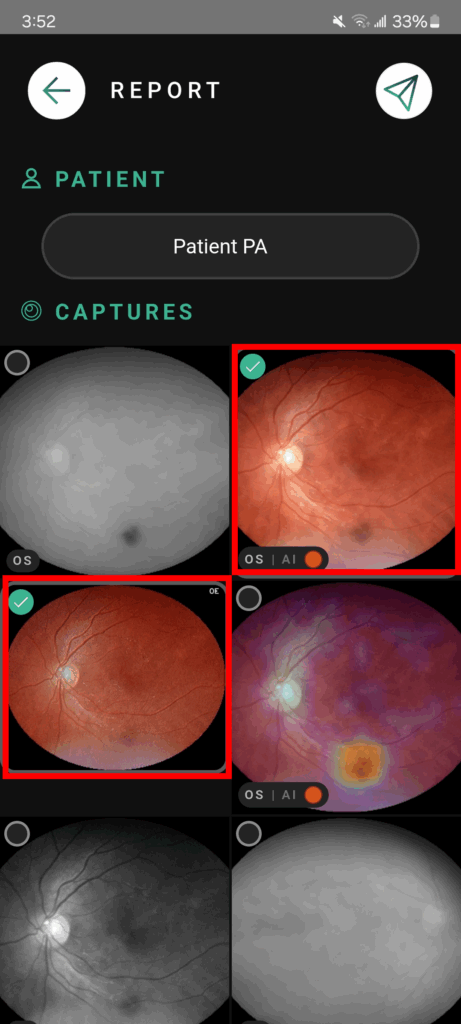
- Locate the patient with the examination;
- Click and hold on the photos you want until they are selected;
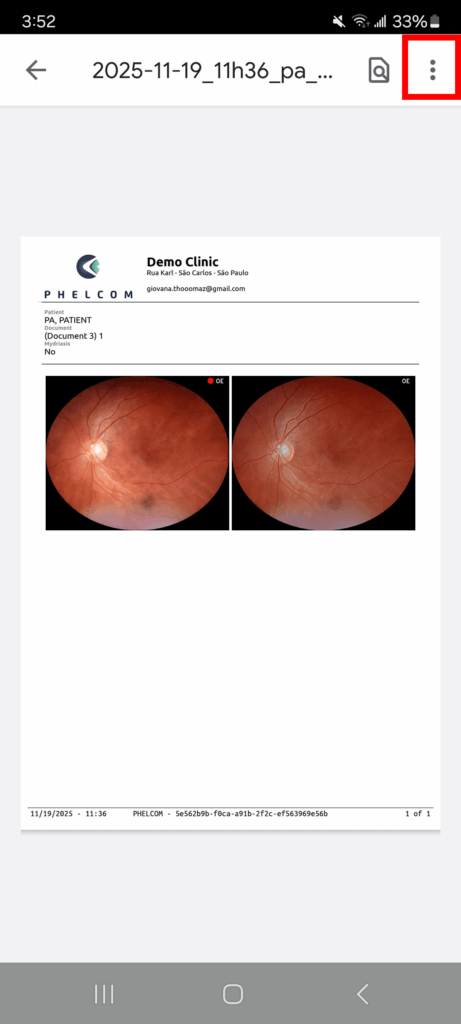
- Click on view report;
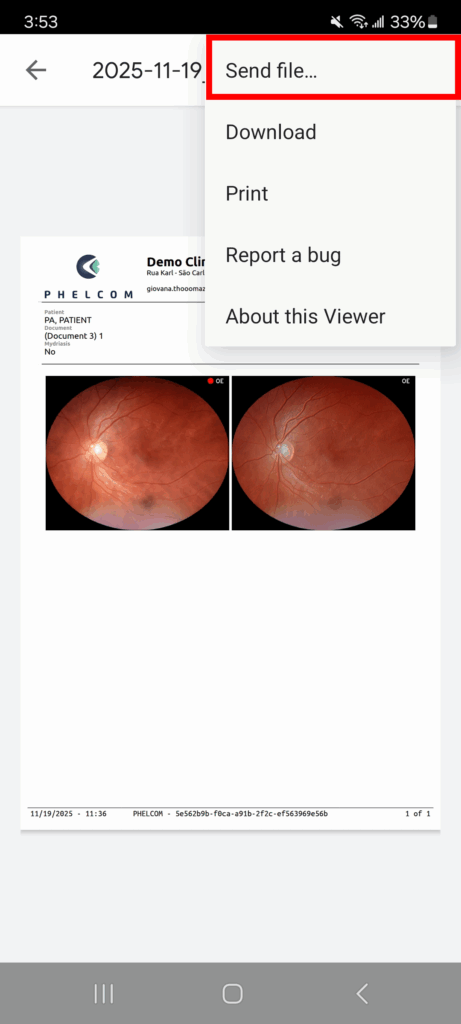
- Click on the three dots in the upper right corner of the screen;
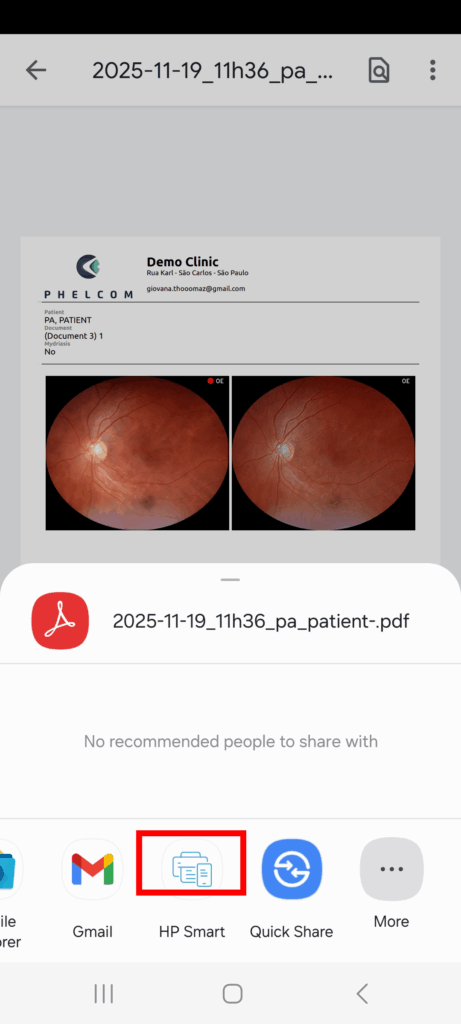
- Select the “Send File…” option;
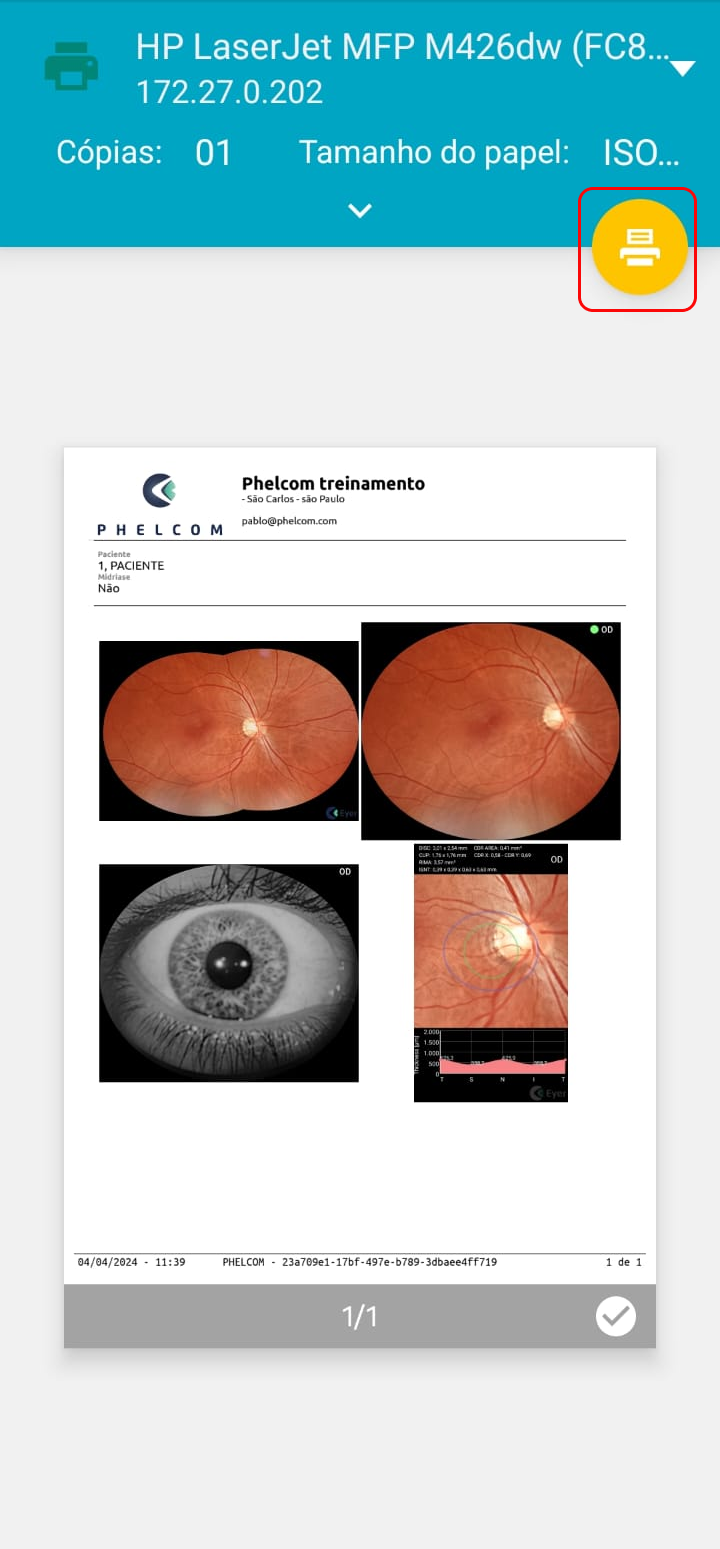
- Click “Print” and select the printer;
- Finally, click the printer icon to start printing.