Português
  Español
  English
OPTION 01: To download a report entering into an exam:
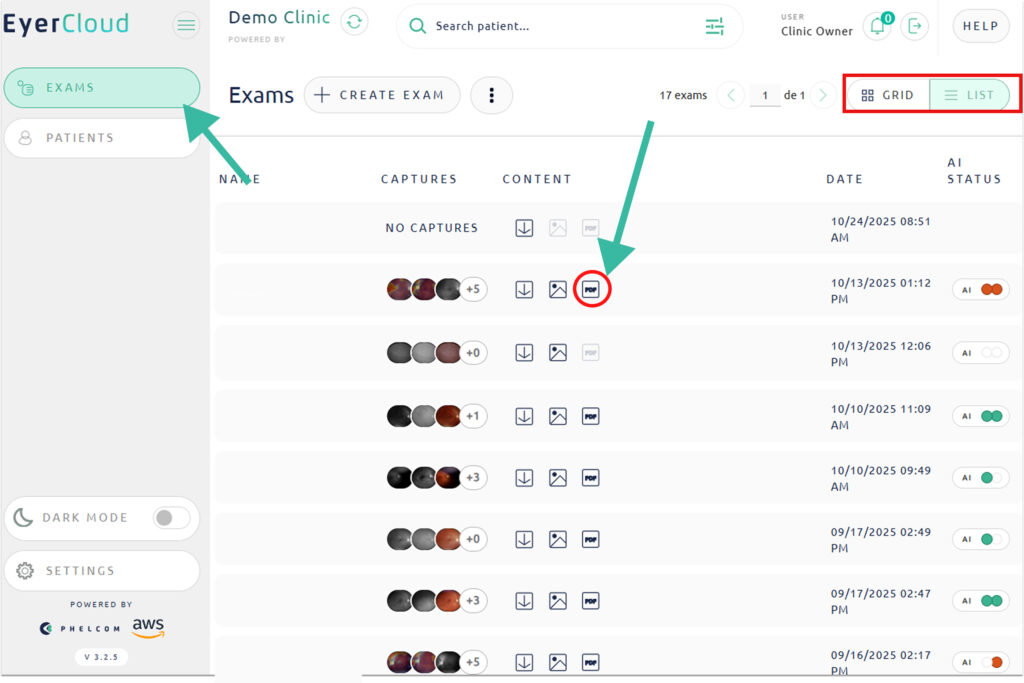
1. Access EyerCloud
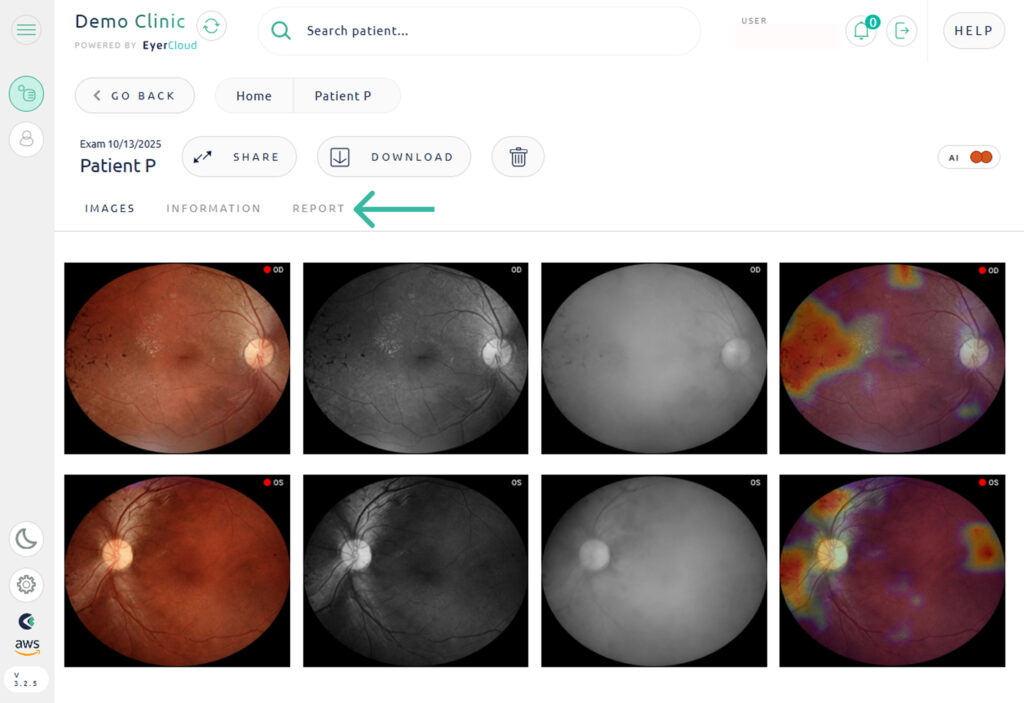
2. Find and select the exam you wish to download
3. Enter in the “REPORT” tab
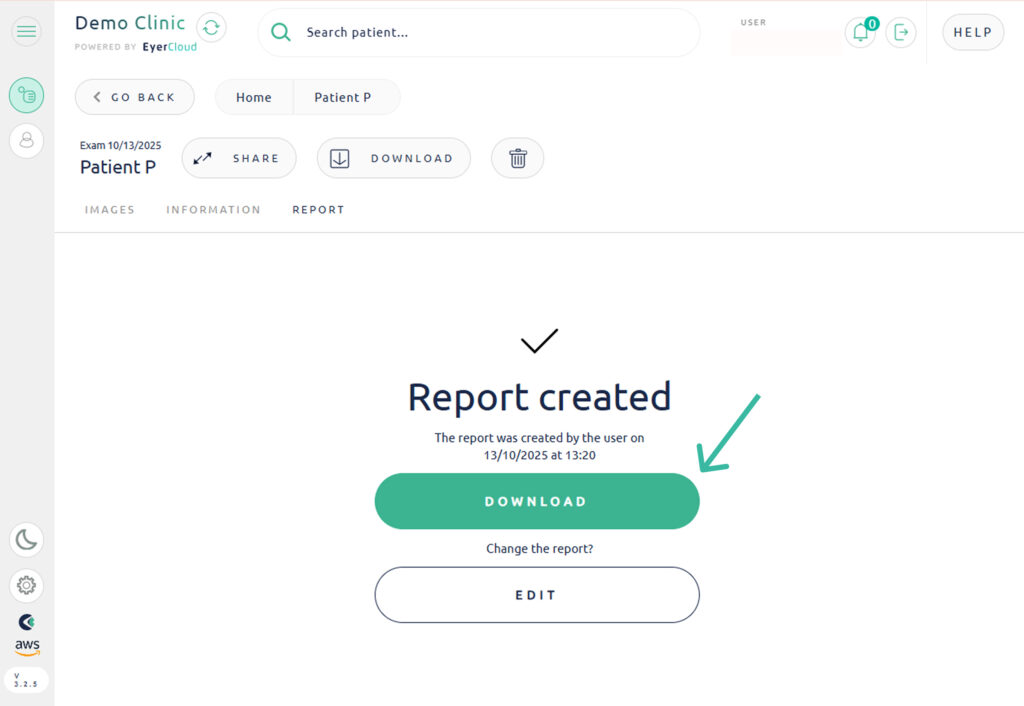
4. Click in “DOWNLOAD“
OPTION 02: If you are using the LIST view, you will have access to the PDF icon in the list of exams that you can download the images direct in your computer.