Português
  Español
  English
The Eyer 2 device gives you the flexibility to capture images of different retinal regions. This feature allows you to:
- Evaluate Specific Areas: Easily focus on more peripheral parts of the retina.
- Create a Panoramic Image: Capture multiple images of the retina’s periphery, which can then be combined to compose a single, wide-view panoramic image.
How to Manage the Fixation Target
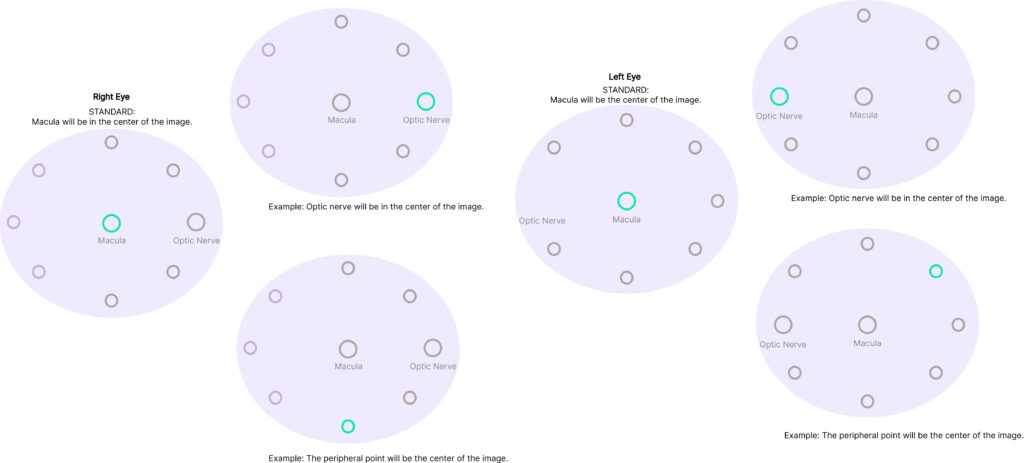
Use the fixation target icon to manage the point you want to keep in the center of the image:
- Click on the Fixation Target Icon.
- Select Your New Target: A grid of nine points will appear within an ellipse. Macula point will be green, indicating the current center of the image. Simply click any of the other points to set it as the new center.
Tip: When you change the fixation point on the screen, the patient will automatically see a different position to look at. This ensures you can accurately register a different, targeted section of the eye.