

 Português
  Español
  English
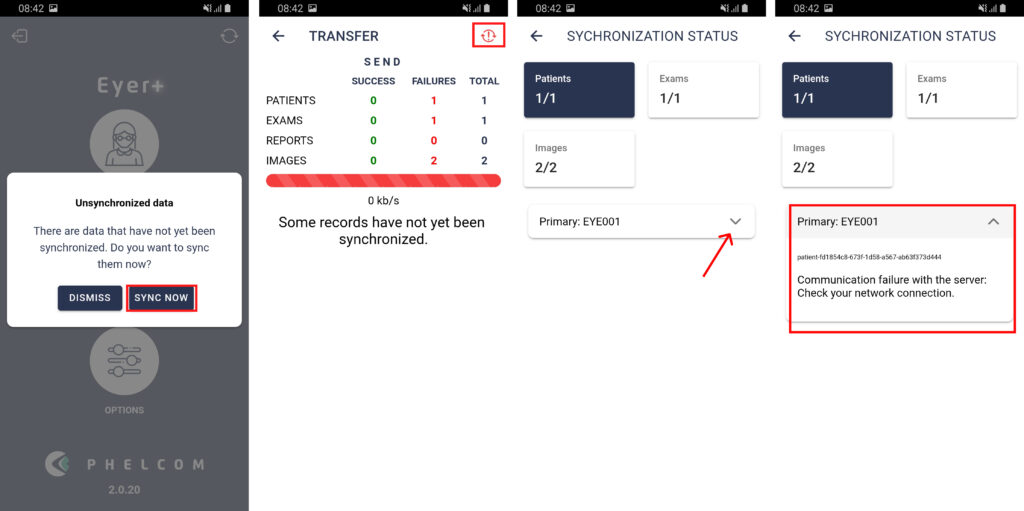
Synchronization issues occur when your device is unable to send images to the cloud or another server. This failure can appear due to different reasons, and If appear, contact technical support to instruct you about what to do:
- Use the link to open a ticket direct to our support team: https://phelcomtech.atlassian.net/servicedesk/customer/portal/2
The message of syncronization issue will appear at the top of the patient list or when you open the app. You can see more details about the reason for the synchronization by clicking to see error details.
Option 01) When you start the app
Option 02) In the Patient list


