English
  Español
  Português
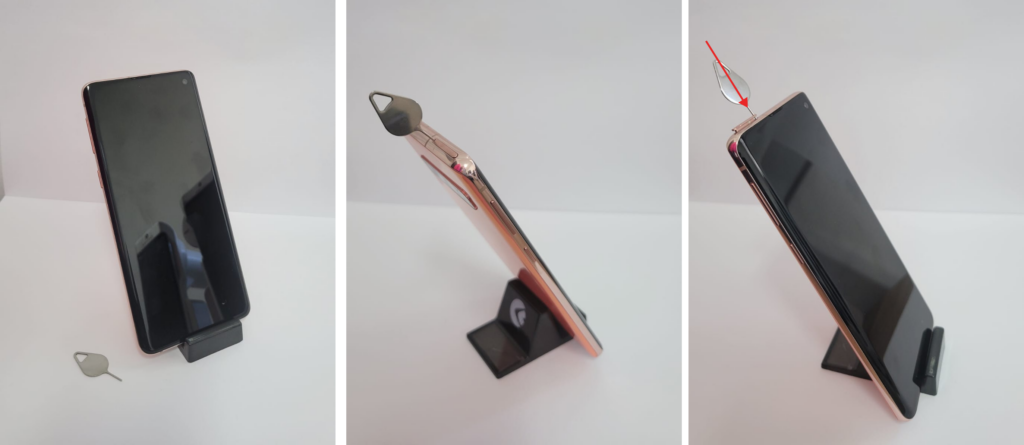
You can insert a SIM Card into your Eyer’s smartphone. After removing the smartphone from the Eyer device, follow the steps below:
- Using the ejector tool included in your Eyer’s case, insert the tip into the hole on the SIM Card tray (located at the top of the smartphone).
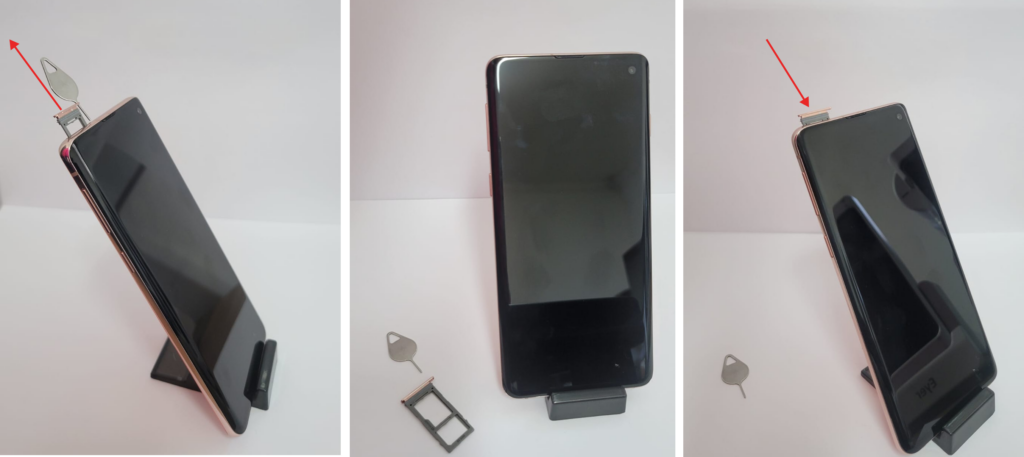
- Push the tool inward applying gentle pressure.
- The SIM Card tray will eject.
- Insert your SIM Card into the tray.
- Place the tray back into the slot and push until it clicks into place.
All set!
Important: Using a SIM Card may increase the smartphone’s battery consumption. Follow best practices for use and always return the device to the charging dock after completing an exam.