

 English
  Español
  Português
To configure the date and time to automatic on your Eyer, follow the steps below:
1) Access settings
2) Navigate to General Management
3) Date and time
4) Flag to automatically display the data
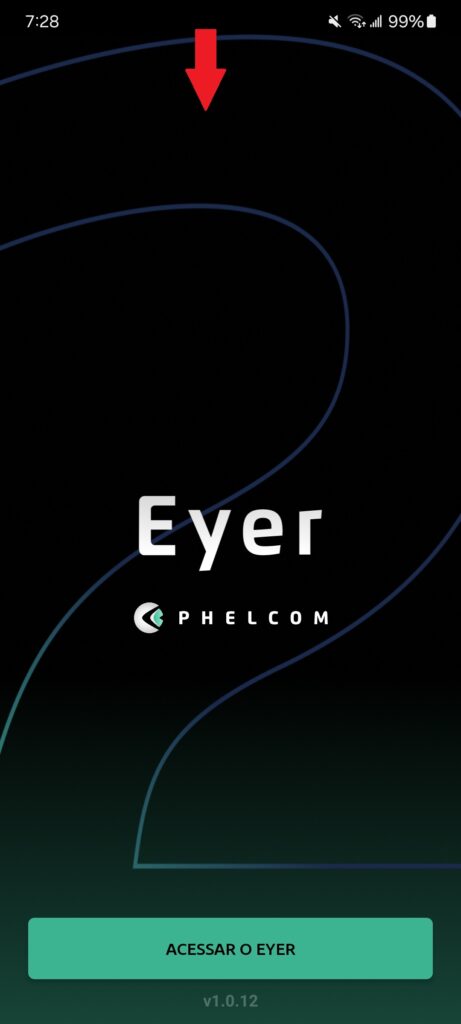
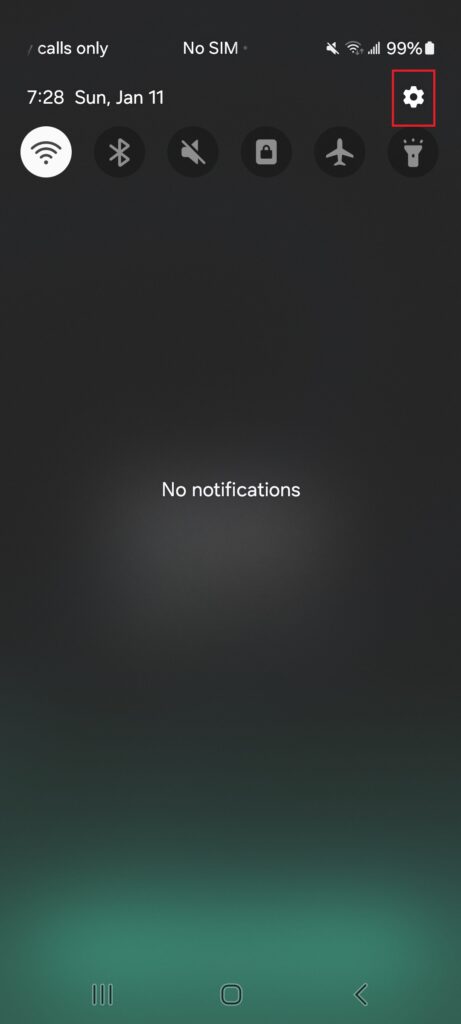
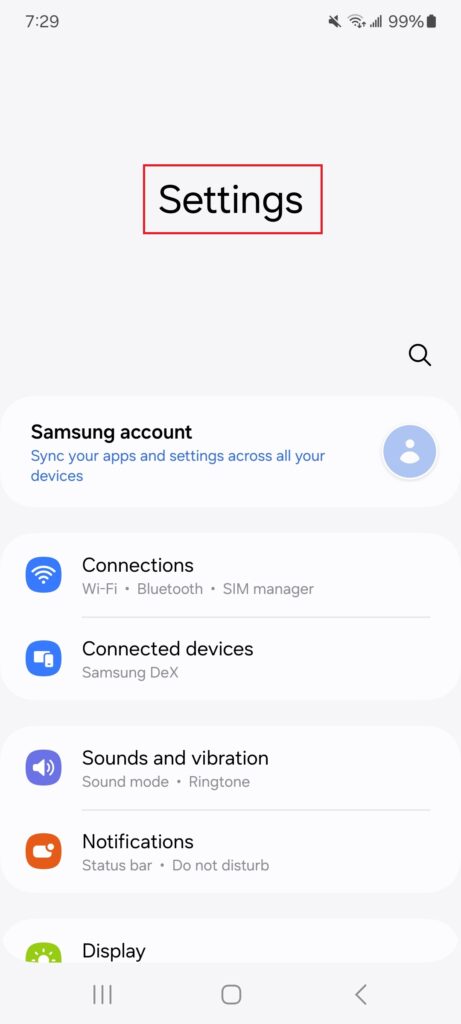
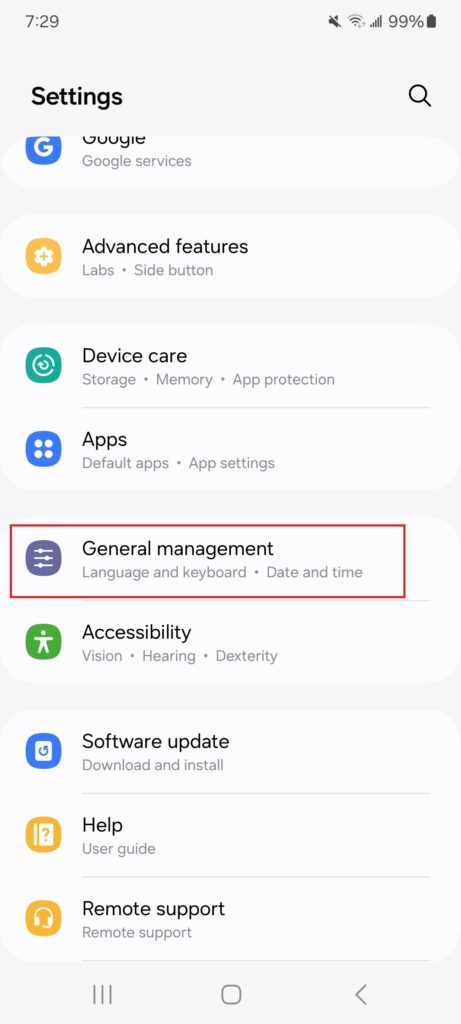
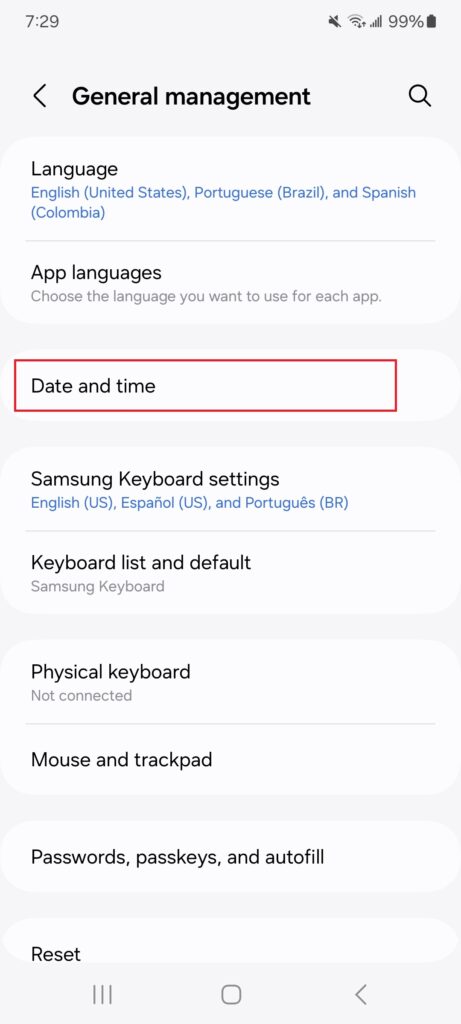
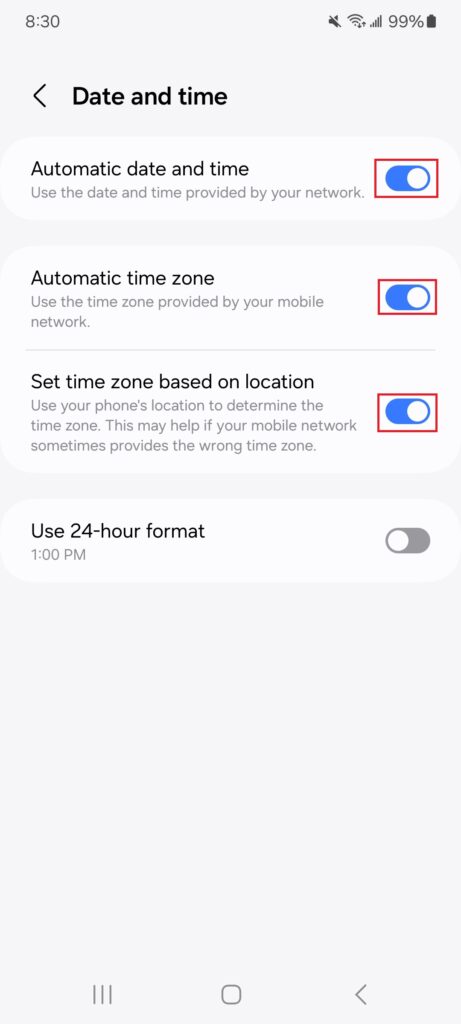
To configure the date and time to automatic on your Eyer, follow the steps below:
1) Access settings
2) Navigate to General Management
3) Date and time
4) Flag to automatically display the data
 Request a Quote
Request a quote
Fill out the form below and we will contact you shortly.

Request a Quote
Our team will contact you shortly.
…complete suas informações
Obrigado por completar suas informações
Request and start YOUR TEST DRIVE
Please fill out the form below, and we will get in touch.
Thank you!
Our commercial team will contact you shortly to finalize the process.Our commercial team will contact you shortly to finalize the process.
Request more information
Thank you!
Our commercial team will contact you shortly to finalize the process.Our commercial team will contact you shortly to finalize the process.