
Back
HelpCenter

EyerCloud – Managing devices

Categories
EyerCloud
Tags
Clinic

Through EyerCloud, you can easily manage which devices are linked to your clinic—viewing the current list and adding new device.

    How to See Which Devices are Linked to Your Clinic

    . 1) Access EyerCloud
    . 2) Go to “Settings
    . 3) Navigate to the “Devices” tab.
    . 4) View the list of all equipment connected to your clinic.

    How to Add a New Device to Your Clinic via EyerCloud

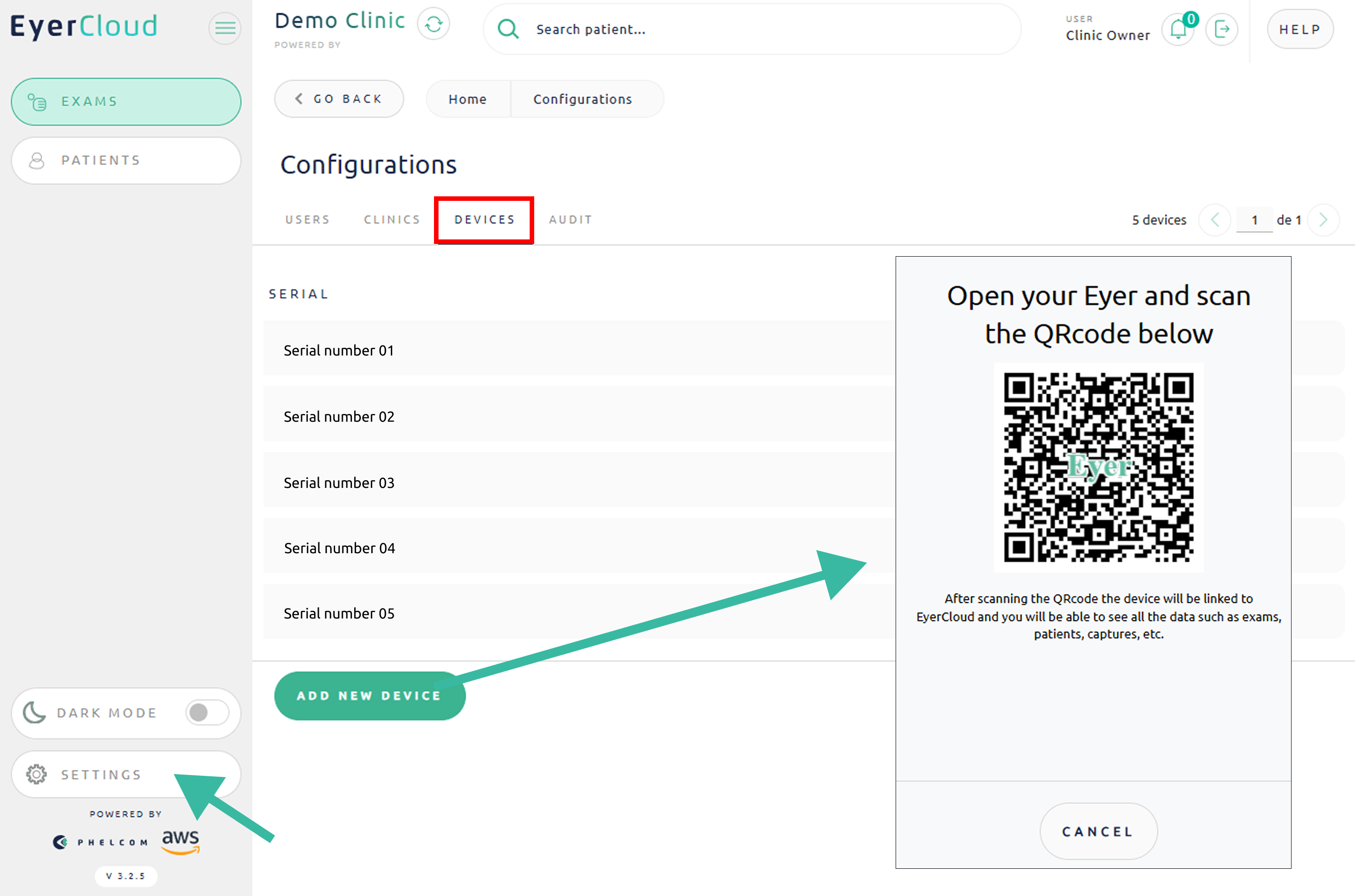
    It is possible to link a new piece of equipment to your clinic using a QR Code. The device will scan the QR Code displayed on your screen, and the clinic will be automatically added to the device—no need to manually enter a login, password, etc.
    . 1) In the “Devices” tab
    . 2) Click on “Add a new device
    . 3) Open your Eyer device and scan the QR Code that appears

    Important: This process can be used when acquiring a new device (on its first access) or if you want to add equipment that was previously logged into another clinic.
    Group 53
    Was this helpful?
    Yes
    No

    Technical Support

    If you need technical support, please open a ticket in our system. Our team will respond as quickly as possible.
    Business hours: Monday to Friday, 8:00 AM to 6:00 PM (Brasília time). Our average response time: 2 days

    Icon Button Request A QuoteRequest a Quote

    Fechar

    Ico Back

    Later

    Request a quote

    Fill out the form below and we will contact you shortly.

      Ico Form Success

      Request a Quote

      Our team will contact you shortly.

      Close

      …complete suas informações

        By clicking the Complete button I allow Phelcom to contact me regarding the above request and I declare that I have read and accept the terms of Privacy Policy and Terms of Use.
        Ico Back

        Depois

        Ico Form Success

        Obrigado por completar suas informações

        FECHAR

        Ico Back

        Later

        Request and start YOUR TEST DRIVE

        Please fill out the form below, and we will get in touch.

          x
          Ico Form Success

          Thank you!

          Our commercial team will contact you shortly to finalize the process.Our commercial team will contact you shortly to finalize the process.

          CLOSE

          Ico Back

          Later

          Request more information

          Please fill out the form below and we will contact you.

            x

            Request EyerMaps

            By clicking the Request button I allow Phelcom to contact me regarding the above request and I declare that I have read and accept the terms of Privacy Policy and Terms of Use.
            Ico Form Success

            Thank you!

            Our commercial team will contact you shortly to finalize the process.Our commercial team will contact you shortly to finalize the process.

            CLOSE