Volver
HelpCenter

Eyer 2- Explicando a tela de captura

Categorías
Eyer 2

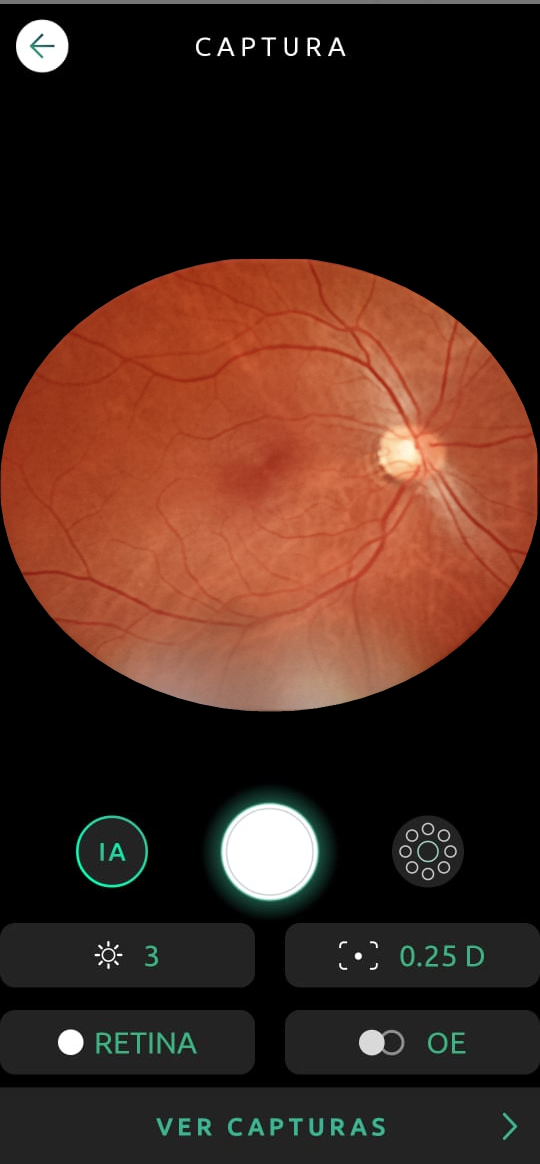
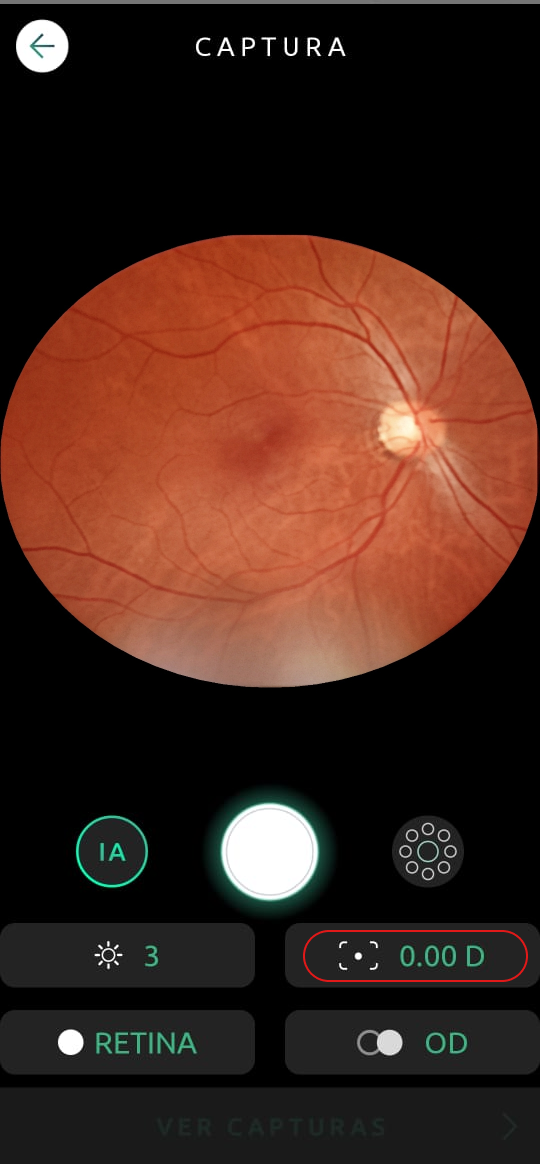
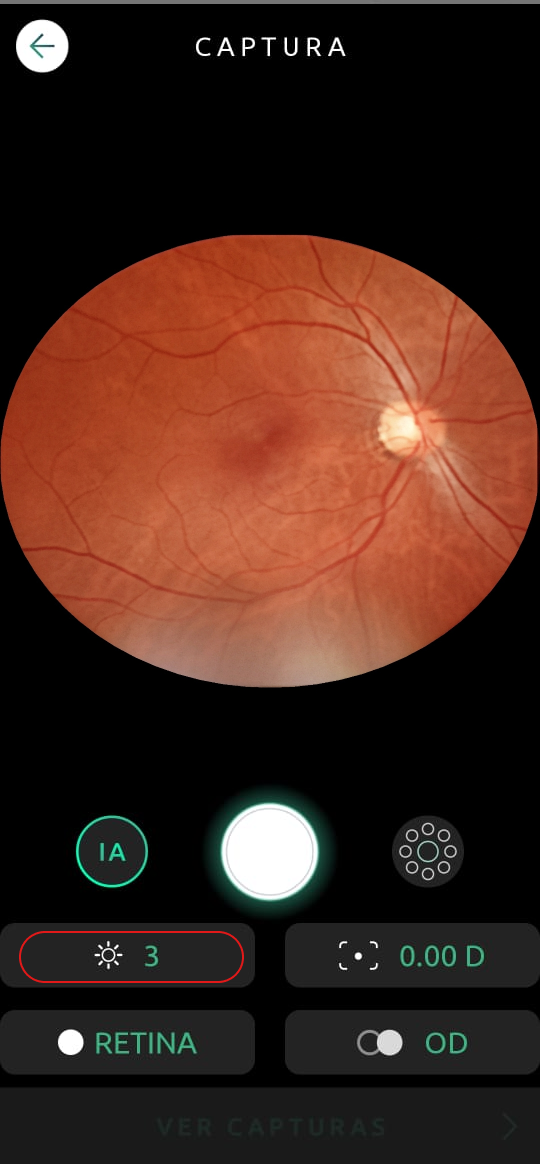
The camera provides numerous settings to capture the highest quality photos.

Help Capture Screen 01
Help Capture Screen 14

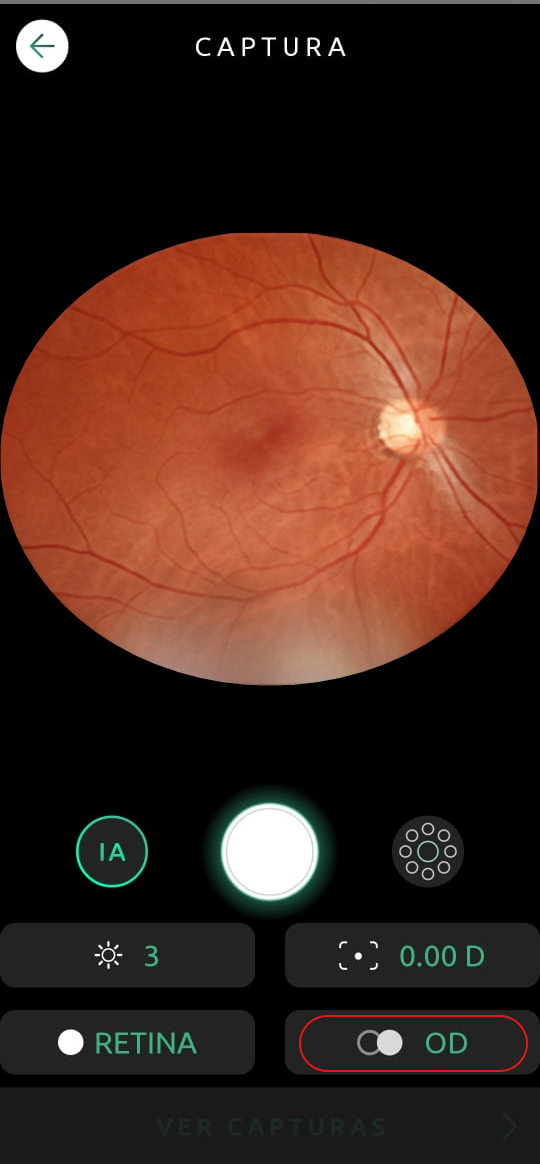
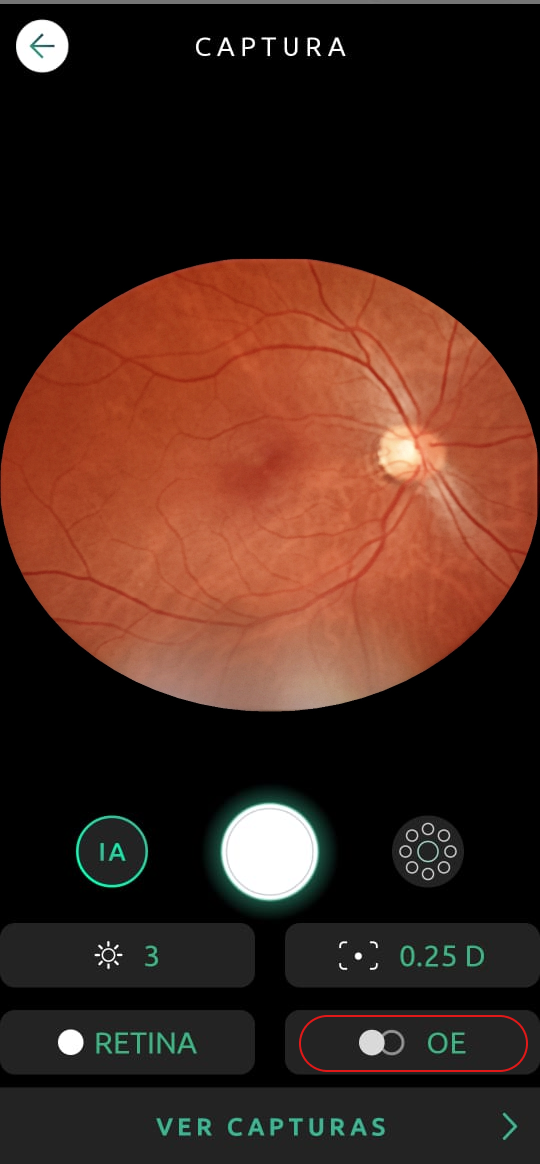
Eye Selection

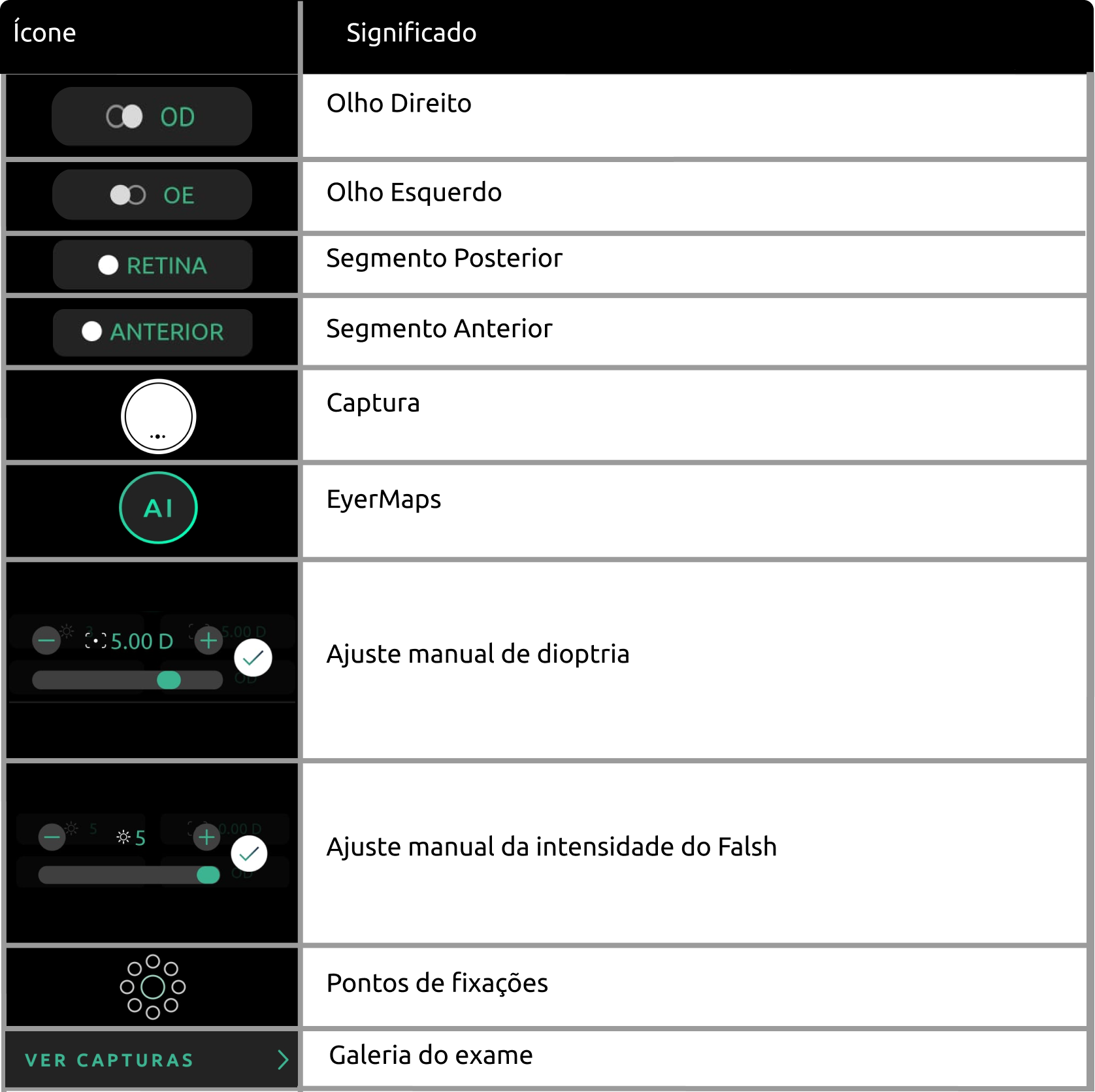
Change the eye being examined. OD: Oculus Dexter (right eye); OS: Oculus Sinister (left eye).

Help Capture Screen 02
Help Capture Screen 03

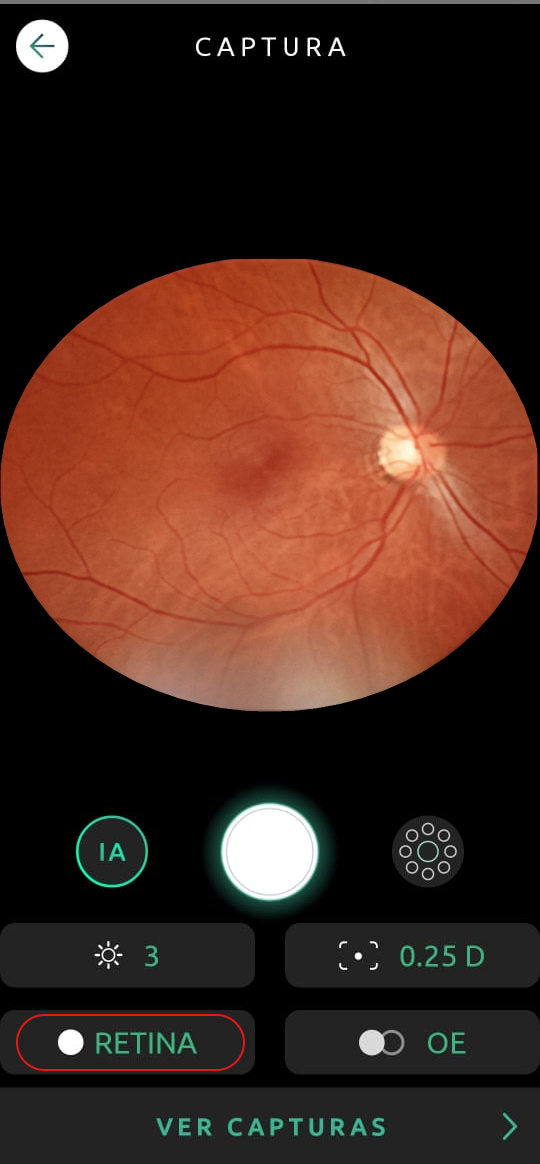
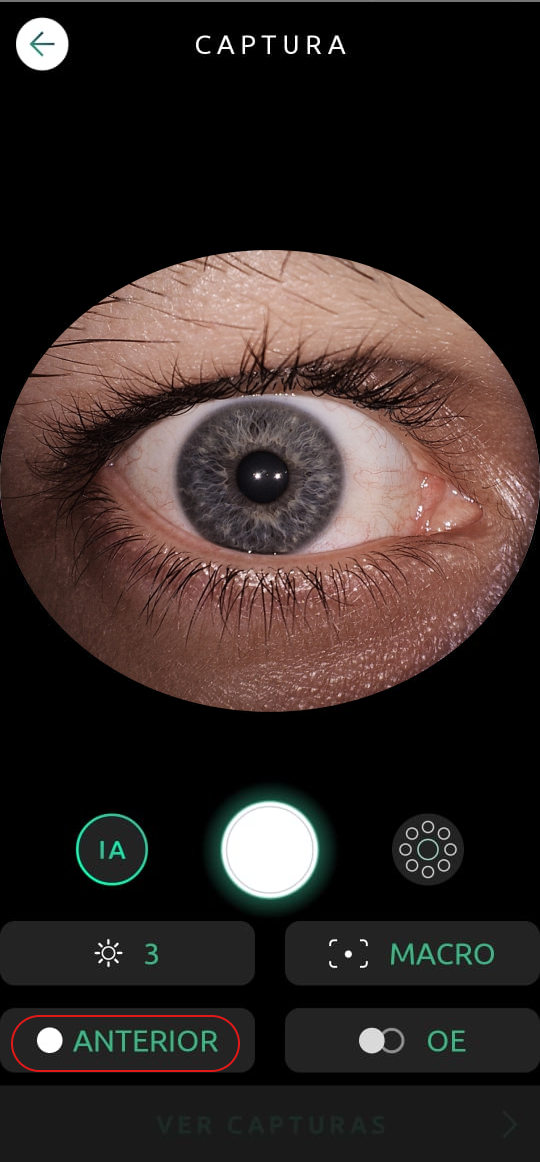
Segment Selection

You can change which segment of the eye is being captured. Retina for the posterior segment, and Anterior for the anterior segment.

Help Capture Screen 04
Help Capture Screen 05
To learn more about anterior segment pictures click here.

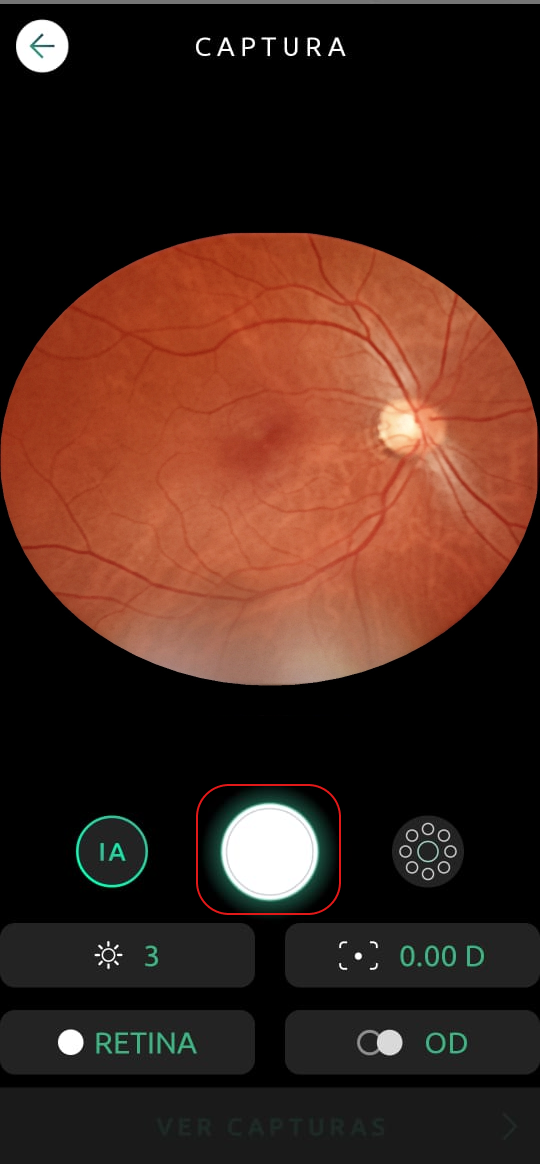
Manual Capture

You can manually capture an image by clicking on the capture button.

Help Capture Screen 06

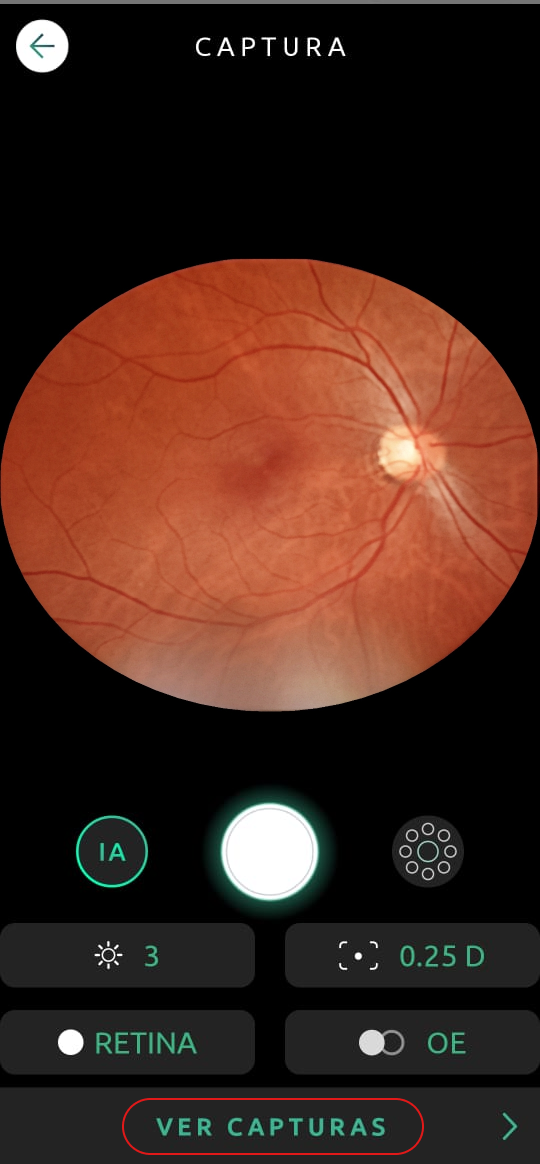
Gallery

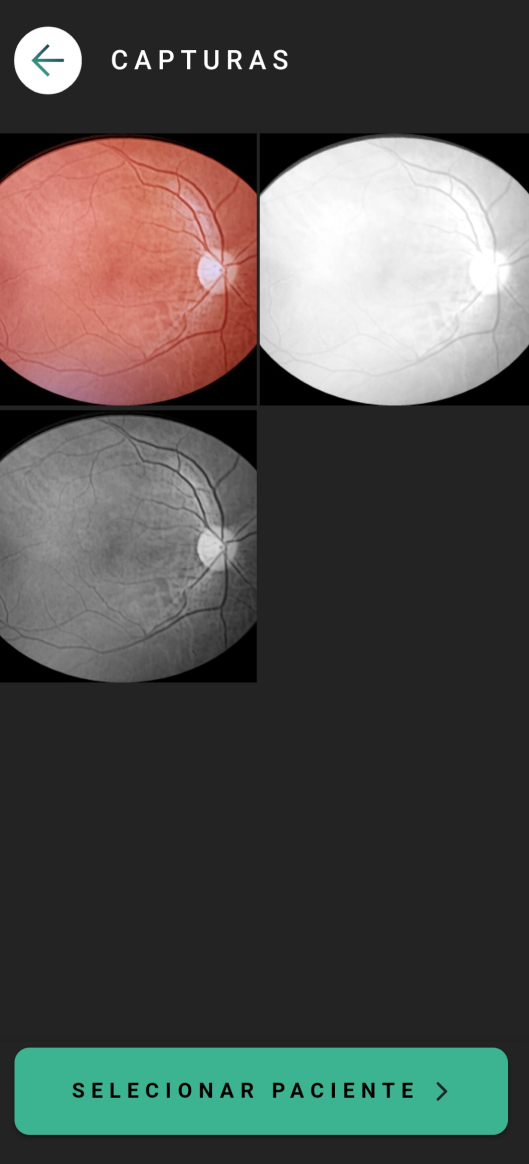
Click See Captures to open the gallery, where you can check all the pictures taken during an exam.

Help Capture Screen 07
Help Capture Screen 08

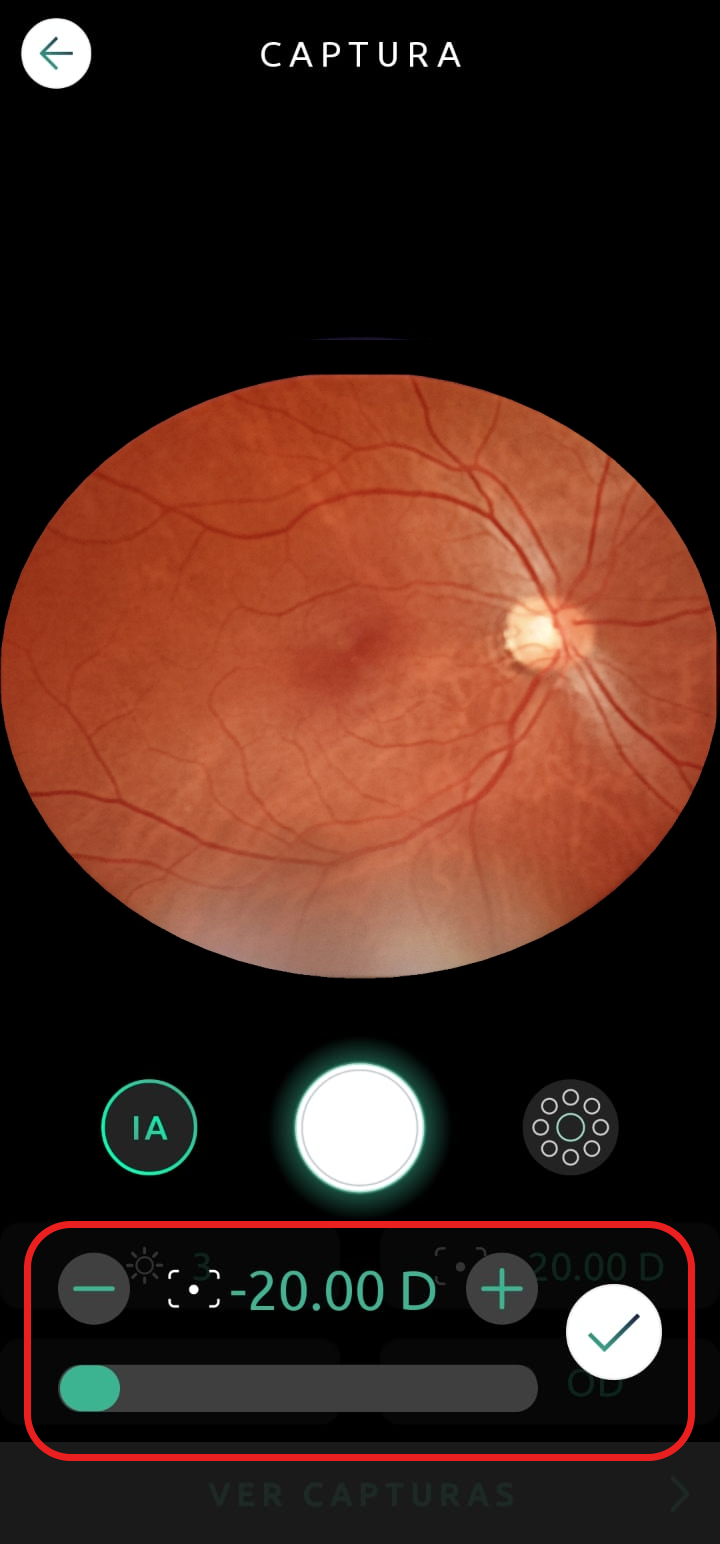
Diopter

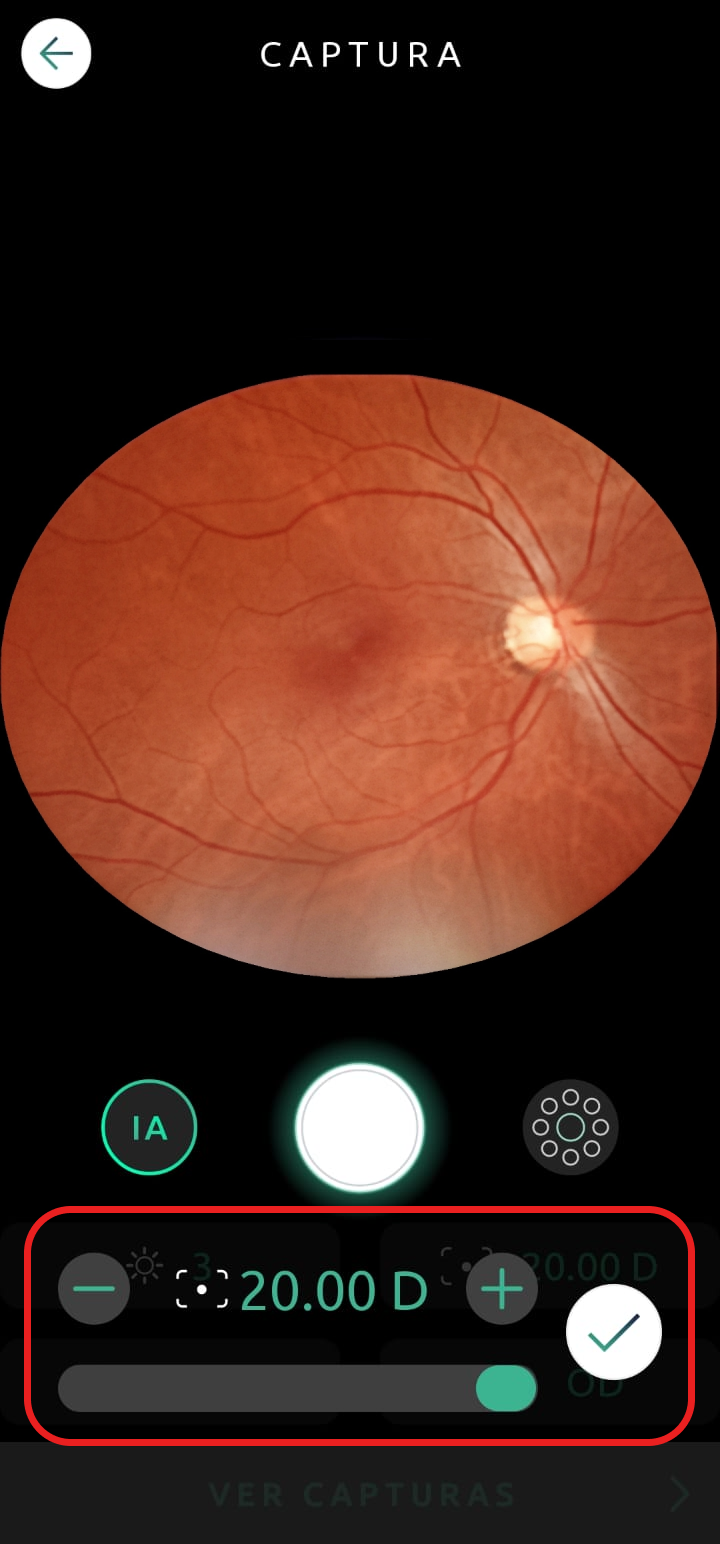
Click on the icon , and drag the slider to adjust the patient’s spherical equivalent.

Help Capture Screen 09
Help Capture Screen 10
It is this setting that determines the focus of the camera. If your pictures are blurry you should adjust the diopter accordingly. If the spherical equivalent is unknown you can use Autofocus to automatically adjust it.

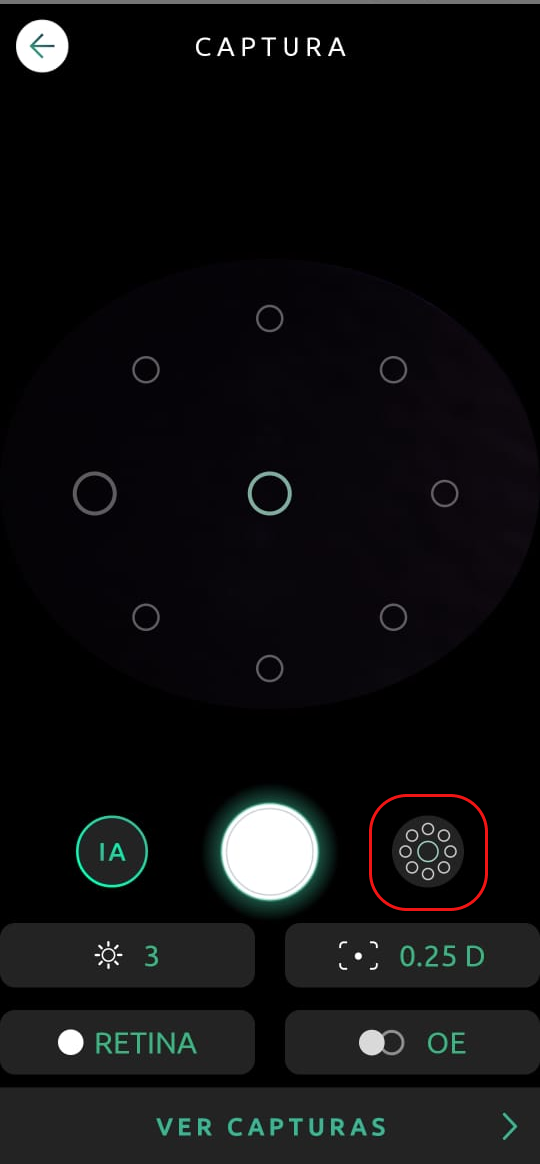
Internal Fixation Targets

With the icon  you can choose which part of the eye will be in the center of the picture. There are two bigger circles, one in the center, representing the macula, and the other is either on the left or the right, indicating the optic nerve, depending on the eye being examined.

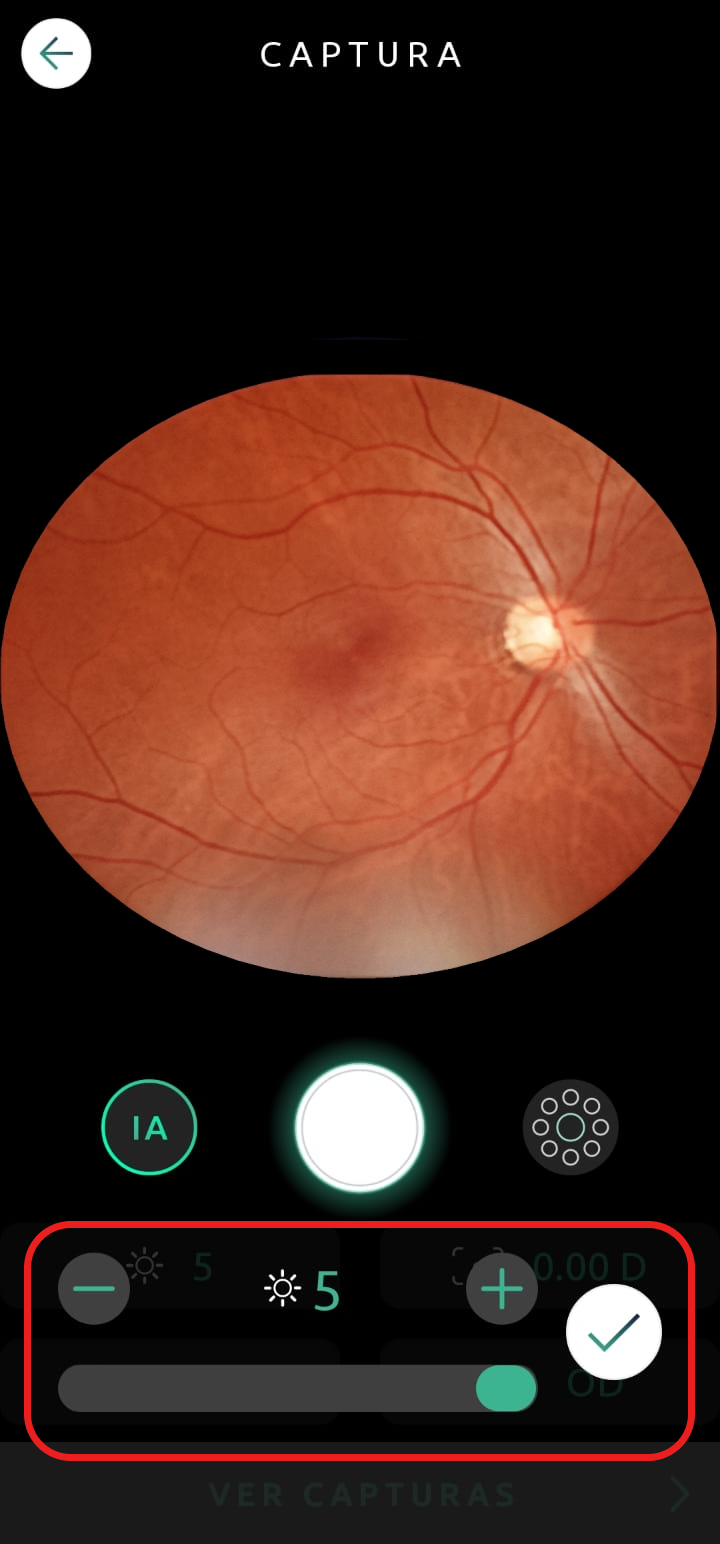
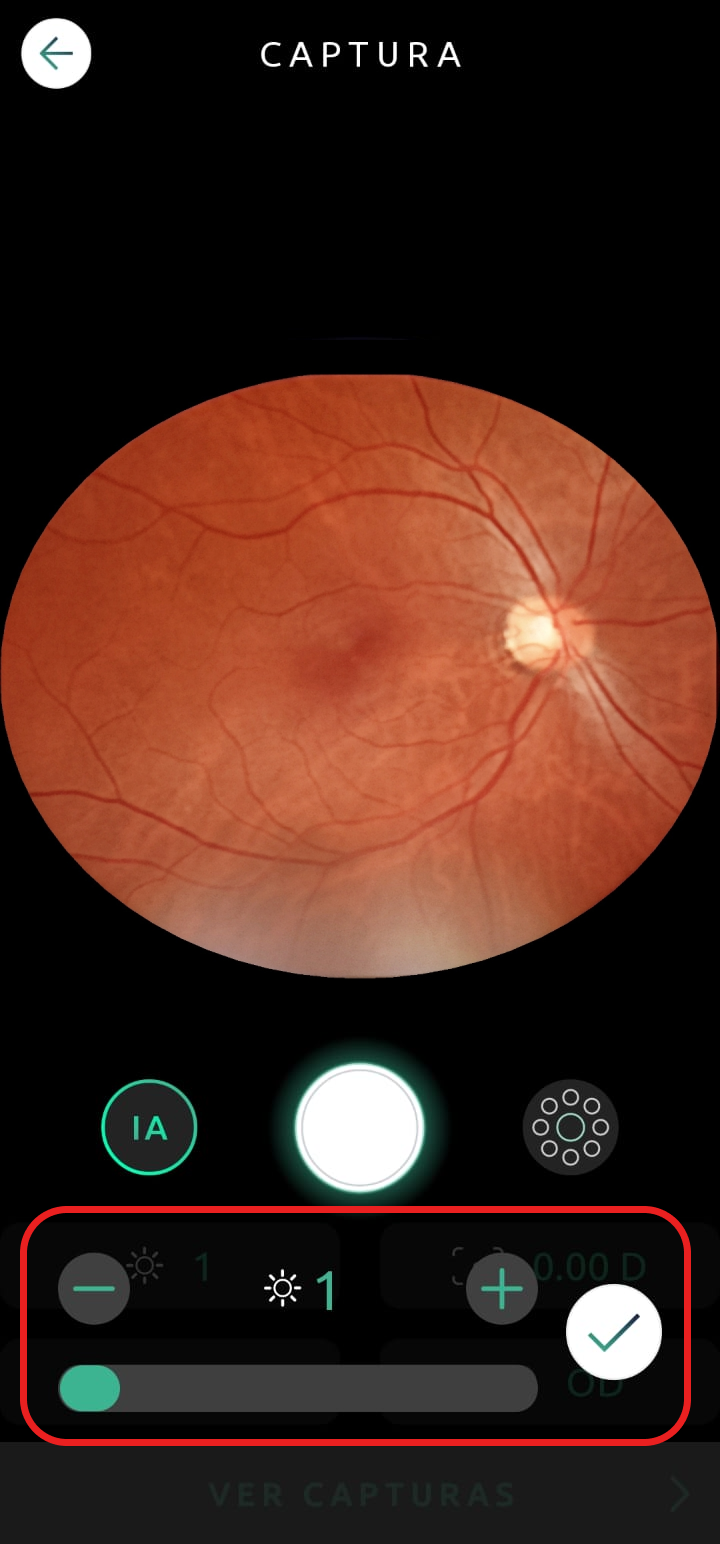
Flash Intensity

You can adjust the illumination of the flash by clicking on the  icon and sliding the bar.

Help Capture Screen 12
Help Capture Screen 13
¿Esto fue útil?
No

Soporte técnico

Si necesitas soporte técnico, abre un ticket en nuestro sistema. Nuestro equipo responderá lo antes posible.
Horario de atención: de lunes a viernes de 8:00 a.m. a 6:00 p.m. (hora de Brasilia). Nuestro tiempo medio de respuesta: 2 días

Icon Button Request A QuoteSOLICITAR PRESUPUESTO

Cerrar

Ico Back

Más tarde

SOLICITAR PRESUPUESTO

Complete el siguiente formulario y nos comunicaremos con usted a la brevedad.

    x

    Solicitar un presupuesto

    Al hacer clic en el botón Enviar autorizo a Phelcom a ponerse en contacto conmigo en relación con la solicitud anterior y declaro que he leído y acepto los términos de la Política de Privacidad y las Condiciones de Uso.
    Ico Form Success

    SOLICITAR PRESUPUESTO

    Nuestro equipo se comunicará con usted en breve.

    Cerca

    …completa tu información

      By clicking the Complete button I allow Phelcom to contact me regarding the above request and I declare that I have read and accept the terms of Privacy Policy and Terms of Use.
      Ico Back

      Más tarde

      Ico Form Success

      Gracias por completar tu información.

      Cerca

      Ico Back

      Más tarde

      Solicita y comienza TU PRUEBA DE CONDUCCIÓN

      Por favor complete el formulario a continuación y nos comunicaremos con usted.

        x

        Solicitar Orçamento

        Ao clicar em Solicitar, concordo com a Política de Privacidade e os Termos de Uso, permito que a Phelcom me contate e reconheço que o Eyer é um dispositivo médico (Anvisa classe II) exigindo a supervisão de um profissional com CRM para uso e interpretação das imagens.
        Ico Form Success

        ¡Gracias!

        Nuestro equipo comercial se pondrá en contacto contigo en breve para finalizar el proceso.

        Cerca

        Ico Back

        Más tarde

        Pida mas información

        Por favor complete el formulario a continuación y nos comunicaremos con usted.

          x

          Solicitar EyerMaps

          Ao clicar em Solicitar, concordo com a Política de Privacidade e os Termos de Uso, permito que a Phelcom me contate e reconheço que o Eyer é um dispositivo médico (Anvisa classe II) exigindo a supervisão de um profissional com CRM para uso e interpretação das imagens.
          Ico Form Success

          ¡Gracias!

          Nuestro equipo comercial se pondrá en contacto con usted en breve para finalizar el proceso. Nuestro equipo comercial se pondrá en contacto con usted en breve para finalizar el proceso.

          Cerca